GitHub Actions 自动化:从 CI/CD 到自动发版
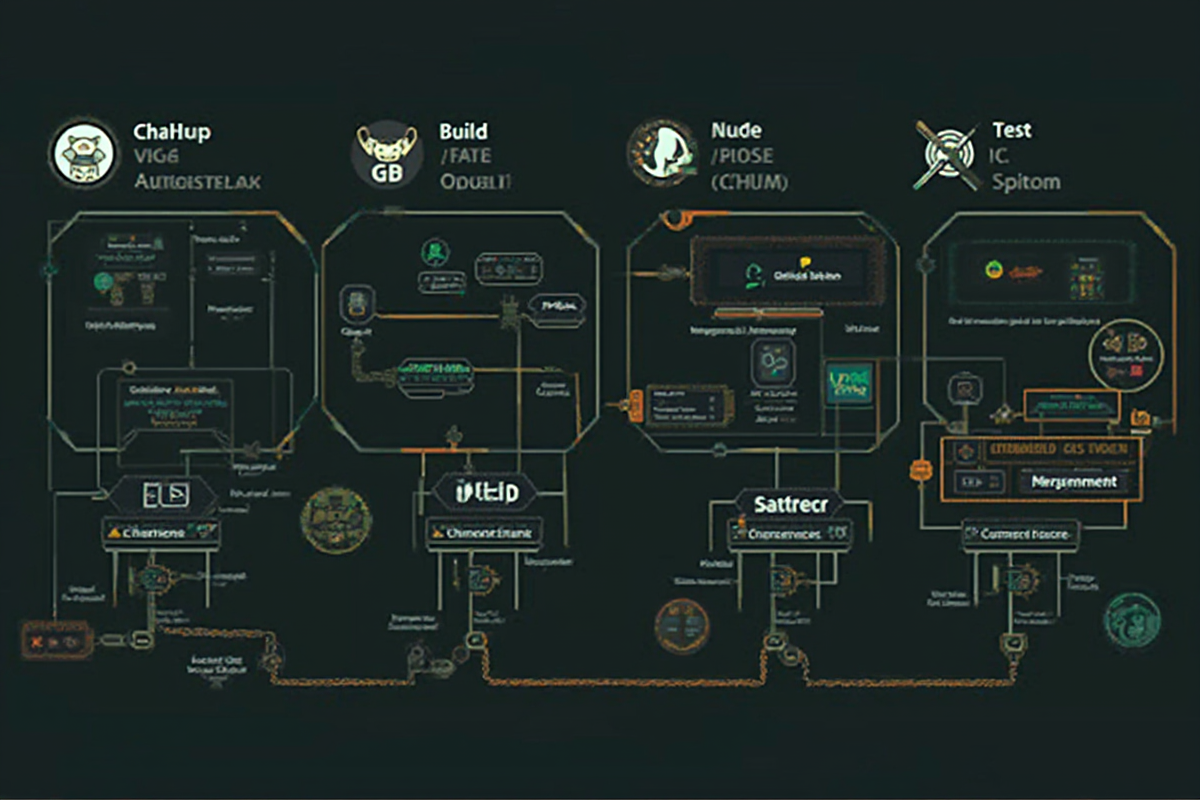
GitHub Actions 自动化:从 CI/CD 到自动发版
引言
在现代软件开发中,持续集成和持续部署(CI/CD) 已经成为提升交付效率的关键。GitHub Actions 是 GitHub 原生的自动化平台,能够将你的工作流程自动化,从代码提交到测试、构建、部署全流程。
为什么选择 GitHub Actions?
❌ 传统 CI/CD 工具的挑战:
- 需要额外配置服务器
- 管理复杂,成本高
- 与 GitHub 集成度低
- 学习曲线陡峭
✅ GitHub Actions 的优势:
- 零配置开箱即用
- 免费额度充足(2000 分钟/月)
- 与 GitHub 深度集成
- 丰富的社区 Action 生态
- 支持私有仓库
适用场景:
- 🚀 自动构建和测试
- 📦 自动发布包(npm、PyPI、Docker)
- 🌐 自动部署到云服务商
- 📝 自动发布 Changelog
- 🔔 自动发送通知(Slack、邮件)
适用读者: 有一定 Git 和 CI/CD 概念的后端、前端、全栈开发工程师
—
核心概念
1. GitHub Actions 架构
┌─────────────────────────────────────────────────────────────┐
│                      GitHub Actions 架构                      │
├─────────────────────────────────────────────────────────────┤
│                                                             │
│  Workflow (工作流)                                          │
│  └─ YAML 配置文件 (.github/workflows/*.yml)                 │
│      │                                                      │
│      ├─ Job (作业)                                          │
│      │   └─ 在 Runner 上运行的任务集合                       │
│      │       │                                               │
│      │       └─ Step (步骤)                                  │
│      │           └─ 可执行的命令或 Action                    │
│      │                                                       │
│      └─ Runner (运行器)                                     │
│          └─ 执行工作流的服务器                               │
│                                                             │
│  Action (动作)                                              │
│  └─ 可重用的代码单元                                        │
│                                                             │
└─────────────────────────────────────────────────────────────┘
2. 概念详解
Workflow(工作流):
- 一个完整的自动化任务
- 存储在 `.github/workflows/` 目录
- YAML 格式定义
Job(作业):
- 工作流中的一个执行单元
- 可以并行运行多个 Job
- 每个 Job 有自己的 Runner 环境
Step(步骤):
- Job 中的最小执行单元
- 可以是命令或 Action
- 支持顺序或并行执行
Runner(运行器):
- 执行工作流的服务器
- GitHub 提供:ubuntu-latest, windows-latest, macos-latest
- 也可以自建 Runner
Action(动作):
- 可重用的代码单元
- 可以是官方 Action 或自定义 Action
- 简化重复工作
3. 工作流文件结构
“`yaml
name: CI Pipeline # 工作流名称
触发条件
on:
push:
branches: [main, develop]
pull_request:
branches: [main]
工作流设置
env:
NODE_VERSION: ’18’
jobs:
build: # 作业名称
runs-on: ubuntu-latest # 运行器
# 环境变量
env:
ENVIRONMENT: production
# 步骤
steps:
- name: 检查代码
uses: actions/checkout@v4
- name: 设置 Node.js
uses: actions/setup-node@v4
with:
node-version: ${{ env.NODE_VERSION }}
---

基础实践:创建第一个 CI 工作流

1. 基础 CI 工作流
yaml
.github/workflows/ci.yml
name: CI
on:
push:
branches: [main, develop]
pull_request:
branches: [main]
env:
NODE_VERSION: ’18’
jobs:
build-and-test:
runs-on: ubuntu-latest
steps:
# 步骤 1: 检出代码
- name: Checkout code
uses: actions/checkout@v4
# 步骤 2: 设置 Node.js
- name: Setup Node.js
uses: actions/setup-node@v4
with:
node-version: ${{ env.NODE_VERSION }}
cache: ‘npm’
# 步骤 3: 安装依赖
- name: Install dependencies
run: npm ci
# 步骤 4: 运行 lint
- name: Run lint
run: npm run lint
# 步骤 5: 运行测试
- name: Run tests
run: npm test
env:
CI: true
# 步骤 6: 构建项目
- name: Build
run: npm run build
# 步骤 7: 上传构建产物
- name: Upload artifacts
uses: actions/upload-artifact@v4
with:
name: build-artifacts
path: dist/
retention-days: 7
2. 多步骤并行工作流
yaml
.github/workflows/ci-parallel.yml
name: CI Parallel
on:
push:
branches: [main]
pull_request:
branches: [main]
jobs:
lint:
runs-on: ubuntu-latest
steps:
- uses: actions/checkout@v4
- uses: actions/setup-node@v4
with:
node-version: ’18’
cache: ‘npm’
- run: npm ci
- run: npm run lint
test:
runs-on: ubuntu-latest
steps:
- uses: actions/checkout@v4
- uses: actions/setup-node@v4
with:
node-version: ’18’
cache: ‘npm’
- run: npm ci
- run: npm test
- name: Upload coverage
uses: codecov/codecov-action@v4
build:
needs: [lint, test] # 依赖前面两个作业
runs-on: ubuntu-latest
steps:
- uses: actions/checkout@v4
- uses: actions/setup-node@v4
with:
node-version: ’18’
cache: ‘npm’
- run: npm ci
- run: npm run build
- uses: actions/upload-artifact@v4
with:
name: dist
path: dist/
3. 工作流运行结果
运行结果示例:
✅ CI – Build and Test
✓ Checkout code (ubuntu-latest)
✓ Setup Node.js (ubuntu-latest)
✓ Install dependencies (ubuntu-latest)
✓ Run lint (ubuntu-latest)
✓ Run tests (ubuntu-latest)
✓ Build (ubuntu-latest)
耗时:3 分 42 秒
内存使用:1.2GB
---

进阶技巧

1. 环境变量和 Secrets
yaml
.github/workflows/with-secrets.yml
name: Deploy with Secrets
on:
push:
tags:
- ‘v*’
env:
NODE_ENV: production
DEPLOY_ENV: staging
jobs:
deploy:
runs-on: ubuntu-latest
environment: production
steps:
- uses: actions/checkout@v4
- name: Setup Node.js
uses: actions/setup-node@v4
with:
node-version: ’18’
registry-url: ‘https://registry.npmjs.org’
- name: Install and build
run: |
npm ci
npm run build
- name: Deploy to AWS
uses: aws-actions/configure-aws-credentials@v4
with:
aws-access-key-id: ${{ secrets.AWS_ACCESS_KEY_ID }}
aws-secret-access-key: ${{ secrets.AWS_SECRET_ACCESS_KEY }}
aws-region: ap-northeast-1
- name: Deploy to AWS
run: |
aws s3 sync dist/ s3://my-app-bucket/
aws cloudfront create-invalidation \
–distribution-id ${{ secrets.CLOUDFRONT_DISTRIBUTION_ID }} \
–paths “/*”
- name: Deploy to NPM
run: npm publish
env:
NODE_AUTH_TOKEN: ${{ secrets.NPM_TOKEN }}
2. 矩阵构建
yaml
.github/workflows/matrix-build.yml
name: Matrix Build
on:
push:
branches: [main]
pull_request:
branches: [main]
jobs:
test:
runs-on: ubuntu-latest
strategy:
matrix:
node-version: [16, 18, 20]
os: [ubuntu-latest, windows-latest, macos-latest]
exclude:
- node-version: 16
os: windows-latest
steps:
- uses: actions/checkout@v4
- name: Setup Node.js ${{ matrix.node-version }}
uses: actions/setup-node@v4
with:
node-version: ${{ matrix.node-version }}
- name: Install dependencies
run: npm ci
- name: Run tests
run: npm test
- name: Upload coverage
uses: codecov/codecov-action@v4
if: matrix.node-version == 20
results:
needs: test
runs-on: ubuntu-latest
steps:
- name: Show matrix results
run: |
echo “Matrix completed successfully!”
echo “Total matrix configurations: ${{ needs.test.result }}”
3. 条件触发
yaml
.github/workflows/conditional.yml
name: Conditional Workflow
on:
push:
branches: [main, develop]
pull_request:
branches: [main]
jobs:
lint:
runs-on: ubuntu-latest
if: github.event_name == ‘pull_request’
steps:
- uses: actions/checkout@v4
- run: npm run lint
test:
runs-on: ubuntu-latest
if: always()
steps:
- uses: actions/checkout@v4
- run: npm test
deploy-staging:
runs-on: ubuntu-latest
if: github.ref == ‘refs/heads/develop’
environment: staging
steps:
- uses: actions/checkout@v4
- run: npm run build:staging
- name: Deploy to staging
run: echo “Deploying to staging…”
deploy-production:
runs-on: ubuntu-latest
if: github.ref == ‘refs/heads/main’
environment: production
steps:
- uses: actions/checkout@v4
- run: npm run build:production
- name: Deploy to production
run: echo “Deploying to production…”
notify:
runs-on: ubuntu-latest
needs: [deploy-staging, deploy-production]
if: always()
steps:
- name: Send notification
run: |
if [ “${{ needs.deploy-staging.result }}” == “success” ]; then
echo “Staging deployed”
fi
if [ “${{ needs.deploy-production.result }}” == “success” ]; then
echo “Production deployed”
fi
---

实战案例:多项目自动化

1. Node.js 项目
yaml
.github/workflows/nodejs-ci-cd.yml
name: Node.js CI/CD
on:
push:
branches: [main, develop]
paths:
- ‘src/**’
- ‘package.json’
pull_request:
branches: [main]
env:
NODE_VERSION: ’18’
NPM_REGISTRY: ‘https://registry.npmjs.org’
jobs:
test:
name: Test on Node ${{ matrix.node }}
runs-on: ubuntu-latest
strategy:
matrix:
node: [16, 18, 20]
steps:
- uses: actions/checkout@v4
- name: Setup Node.js
uses: actions/setup-node@v4
with:
node-version: ${{ matrix.node }}
cache: ‘npm’
- name: Install dependencies
run: npm ci
- name: Lint
run: npm run lint
- name: Run tests
run: npm test
env:
CI: true
- name: Upload coverage
uses: codecov/codecov-action@v4
build:
needs: test
runs-on: ubuntu-latest
steps:
- uses: actions/checkout@v4
- name: Setup Node.js
uses: actions/setup-node@v4
with:
node-version: ${{ env.NODE_VERSION }}
cache: ‘npm’
- name: Install and build
run: |
npm ci
npm run build
- name: Upload build artifact
uses: actions/upload-artifact@v4
with:
name: build
path: dist/
retention-days: 30
publish:
needs: build
runs-on: ubuntu-latest
if: startsWith(github.ref, ‘refs/tags/’)
environment: npm
steps:
- uses: actions/checkout@v4
- name: Setup Node.js
uses: actions/setup-node@v4
with:
node-version: ${{ env.NODE_VERSION }}
registry-url: ${{ env.NPM_REGISTRY }}
- name: Publish to NPM
run: npm publish
env:
NODE_AUTH_TOKEN: ${{ secrets.NPM_TOKEN }}
2. Python 项目
yaml
.github/workflows/python-ci-cd.yml
name: Python CI/CD
on:
push:
branches: [main, develop]
pull_request:
branches: [main]
env:
PYTHON_VERSION: ‘3.11’
jobs:
lint:
runs-on: ubuntu-latest
steps:
- uses: actions/checkout@v4
- name: Set up Python
uses: actions/setup-python@v5
with:
python-version: ${{ env.PYTHON_VERSION }}
cache: ‘pip’
- name: Install dependencies
run: |
pip install -r requirements.txt
pip install flake8 mypy pytest
- name: Run flake8
run: |
flake8 src –count –select=E9,F63,F7,F82 –show-source –statistics
flake8 src –count –exit-zero –max-complexity=10 –max-line-length=127 –statistics
- name: Run mypy
run: mypy src/
test:
runs-on: ubuntu-latest
needs: lint
strategy:
matrix:
python-version: [‘3.9’, ‘3.10’, ‘3.11’, ‘3.12’]
steps:
- uses: actions/checkout@v4
- name: Set up Python ${{ matrix.python-version }}
uses: actions/setup-python@v5
with:
python-version: ${{ matrix.python-version }}
cache: ‘pip’
- name: Install dependencies
run: |
pip install -r requirements.txt
pip install pytest pytest-cov
- name: Run tests
run: pytest –cov=src –cov-report=xml
- name: Upload coverage
uses: codecov/codecov-action@v4
build-docker:
runs-on: ubuntu-latest
needs: test
if: github.event_name == ‘push’ && github.ref == ‘refs/heads/main’
steps:
- uses: actions/checkout@v4
- name: Set up Docker Buildx
uses: docker/setup-buildx-action@v3
- name: Login to Docker Hub
uses: docker/login-action@v3
with:
username: ${{ secrets.DOCKER_USERNAME }}
password: ${{ secrets.DOCKER_PASSWORD }}
- name: Build and push
uses: docker/build-push-action@v5
with:
context: .
push: true
tags: |
${{ secrets.DOCKER_USERNAME }}/myapp:latest
${{ secrets.DOCKER_USERNAME }}/myapp:${{ github.sha }}
deploy:
runs-on: ubuntu-latest
needs: build-docker
environment: production
steps:
- name: Deploy to Kubernetes
uses: Azure/k8s-deploy@v4
with:
action: set
manifests: k8s/
images: |
${{ secrets.DOCKER_USERNAME }}/myapp:${{ github.sha }}
3. Go 项目
yaml
.github/workflows/go-ci-cd.yml
name: Go CI/CD
on:
push:
branches: [main, develop]
pull_request:
branches: [main]
env:
GO_VERSION: ‘1.21’
jobs:
test:
runs-on: ubuntu-latest
steps:
- uses: actions/checkout@v4
- name: Set up Go
uses: actions/setup-go@v5
with:
go-version: ${{ env.GO_VERSION }}
- name: Run tests
run: |
go test -v -cover ./…
- name: Upload coverage
uses: codecov/codecov-action@v4
build:
runs-on: ubuntu-latest
needs: test
outputs:
version: ${{ steps.meta.outputs.version }}
steps:
- uses: actions/checkout@v4
- name: Set up Go
uses: actions/setup-go@v5
with:
go-version: ${{ env.GO_VERSION }}
- name: Run tests
run: go build -v ./…
- name: Get version
id: meta
run: |
echo “version=$(git describe –tags –always –dirty)” >> $GITHUB_OUTPUT
- name: Build binary
run: |
go build -ldflags=”-s -w” -o myapp
tar czf myapp-${{ steps.meta.outputs.version }}.tar.gz myapp
- name: Upload artifacts
uses: actions/upload-artifact@v4
with:
name: binaries
path: |
myapp-${{ steps.meta.outputs.version }}.tar.gz
retention-days: 30
release:
needs: build
runs-on: ubuntu-latest
if: startsWith(github.ref, ‘refs/tags/’)
steps:
- uses: actions/checkout@v4
- name: Download artifacts
uses: actions/download-artifact@v4
with:
name: binaries
- name: Create GitHub Release
uses: softprops/action-gh-release@v1
with:
draft: false
prerelease: false
files: |
myapp-*.tar.gz
---

自动发版

1. Tag 触发版本发布
yaml
.github/workflows/release.yml
name: Release
on:
push:
tags:
- ‘v*’
env:
APP_NAME: myapp
NODE_VERSION: ’18’
jobs:
create-release:
runs-on: ubuntu-latest
outputs:
upload_url: ${{ steps.create_release.outputs.upload_url }}
version: ${{ steps.get_version.outputs.version }}
steps:
- name: Get version from tag
id: get_version
run: echo “version=${GITHUB_REF#refs/tags/}” >> $GITHUB_OUTPUT
- name: Create Release
id: create_release
uses: actions/create-release@v1
env:
GITHUB_TOKEN: ${{ secrets.GITHUB_TOKEN }}
with:
tag_name: ${{ steps.get_version.outputs.version }}
release_name: Release ${{ steps.get_version.outputs.version }}
draft: false
prerelease: false
build-and-publish:
needs: create-release
runs-on: ubuntu-latest
steps:
- uses: actions/checkout@v4
- name: Setup Node.js
uses: actions/setup-node@v4
with:
node-version: ${{ env.NODE_VERSION }}
registry-url: ‘https://registry.npmjs.org’
- name: Install and build
run: |
npm ci
npm run build
- name: Publish to NPM
run: npm publish
env:
NODE_AUTH_TOKEN: ${{ secrets.NPM_TOKEN }}
- name: Upload build artifacts
uses: actions/upload-artifact@v4
with:
name: dist
path: dist/
- name: Upload to Release
uses: actions/upload-release-asset@v1
env:
GITHUB_TOKEN: ${{ secrets.GITHUB_TOKEN }}
with:
upload_url: ${{ needs.create-release.outputs.upload_url }}
asset_path: dist/dist.zip
asset_name: myapp-${{ needs.create-release.outputs.version }}.zip
asset_content_type: application/zip
generate-changelog:
needs: create-release
runs-on: ubuntu-latest
steps:
- uses: actions/checkout@v4
with:
fetch-depth: 0
- name: Generate Changelog
id: changelog
uses: requarks/changelog-action@v1
with:
token: ${{ secrets.GITHUB_TOKEN }}
fromTag: ${{ github.event.repository.default_branch }}
toTag: ${{ github.ref }}
includeInvalidCommits: false
writeToFile: false
- name: Update Release with Changelog
uses: actions/github-script@v6
env:
RELEASE_TAG: ${{ github.ref }}
CHANGELOG: ${{ steps.changelog.outputs.changes }}
with:
github-token: ${{ secrets.GITHUB_TOKEN }}
script: |
const { data: release } = await github.rest.repos.getReleaseByTag({
owner: context.repo.owner,
repo: context.repo.repo,
tag: process.env.RELEASE_TAG.replace(‘refs/tags/’, ”)
})
await github.rest.repos.updateRelease({
owner: context.repo.owner,
repo: context.repo.repo,
release_id: release.id,
body: process.env.CHANGELOG
})
2. 自动发布到 Docker Hub
yaml
.github/workflows/docker-publish.yml
name: Docker Publish
on:
push:
tags:
- ‘v*’
env:
REGISTRY: ghcr.io
IMAGE_NAME: ${{ github.repository }}
jobs:
build-and-push:
runs-on: ubuntu-latest
permissions:
contents: read
packages: write
steps:
- name: Checkout repository
uses: actions/checkout@v4
- name: Set up QEMU
uses: docker/setup-qemu-action@v3
- name: Set up Docker Buildx
uses: docker/setup-buildx-action@v3
- name: Log in to Container Registry
uses: docker/login-action@v3
with:
registry: ${{ env.REGISTRY }}
username: ${{ github.actor }}
password: ${{ secrets.GITHUB_TOKEN }}
- name: Extract metadata
id: meta
uses: docker/metadata-action@v5
with:
images: ${{ env.REGISTRY }}/${{ env.IMAGE_NAME }}
tags: |
type=semver,pattern={{version}}
type=semver,pattern={{major}}.{{minor}}
type=semver,pattern={{major}}
type=sha
- name: Build and push
uses: docker/build-push-action@v5
with:
context: .
platforms: linux/amd64,linux/arm64
push: true
tags: ${{ steps.meta.outputs.tags }}
labels: ${{ steps.meta.outputs.labels }}
cache-from: type=gha
cache-to: type=gha,mode=max
---

最佳实践

1. 缓存策略
yaml
使用缓存加速依赖安装
cache-dependency-path: |
package-lock.json
yarn.lock
Node.js 缓存
- uses: actions/cache@v4
with:
path: ~/.npm
key: ${{ runner.os }}-node-${{ hashFiles(‘**/package-lock.json’) }}
restore-keys: |
${{ runner.os }}-node-
Python pip 缓存
- uses: actions/cache@v4
with:
path: ~/.cache/pip
key: ${{ runner.os }}-pip-${{ hashFiles(‘**/requirements.txt’) }}
restore-keys: |
${{ runner.os }}-pip-
Go module 缓存
- uses: actions/cache@v4
with:
path: ~/go/pkg/mod
key: ${{ runner.os }}-go-${{ hashFiles(‘**/go.sum’) }}
restore-keys: |
${{ runner.os }}-go-
2. 超时控制
yaml
jobs:
slow-job:
runs-on: ubuntu-latest
timeout-minutes: 30 # 设置超时时间
steps:
- name: Install dependencies
timeout-minutes: 10
run: npm ci
- name: Run tests
timeout-minutes: 15
run: npm test
- name: Build
timeout-minutes: 10
run: npm run build
3. 错误处理
yaml
jobs:
build:
runs-on: ubuntu-latest
steps:
- uses: actions/checkout@v4
- name: Install dependencies
run: npm ci
continue-on-error: false # 失败时中止工作流
- name: Build
run: npm run build
continue-on-error: true # 即使失败也继续后续步骤
- name: Notify on failure
if: failure()
run: |
echo “Build failed!”
# 发送通知到 Slack/钉钉等
4. 工作流组织
yaml
将通用步骤提取为复用模板
.github/workflows/ reusable-workflows/nodejs-base.yml
name: Node.js Base
on:
workflow_call:
inputs:
node-version:
required: true
type: string
cache-key:
required: true
type: string
jobs:
setup:
runs-on: ubuntu-latest
steps:
- uses: actions/checkout@v4
- name: Setup Node.js
uses: actions/setup-node@v4
with:
node-version: ${{ inputs.node-version }}
cache: ${{ inputs.cache-key }}
- name: Install dependencies
run: npm ci
- name: Lint
run: npm run lint
- name: Test
run: npm test
---

总结

核心要点回顾

✅ GitHub Actions 核心概念:Workflow、Job、Step、Runner、Action
✅ 触发器配置:push、pull_request、schedule、workflow_dispatch
✅ 环境变量和 Secrets:安全存储敏感信息
✅ 矩阵构建:多平台、多版本并行测试
✅ 自动发版:Tag 触发、版本发布、Changelog 生成

性能优化清单
✅ 缓存优化:
- 依赖缓存(npm、pip、go mod)
- 构建产物缓存
- Docker 镜像缓存
✅ 超时控制:
- 设置合理的 timeout-minutes
- 区分各步骤的超时时间
- 避免无限等待
✅ 并行处理:
- 使用 matrix 并行测试
- 分离 lint、test、build
- 利用 needs 依赖关系
✅ 错误处理:
- 使用 if/failure() 条件
- 设置 continue-on-error
- 添加通知步骤
推荐工作流
完整 CI/CD 工作流:
- 代码提交
- 自动测试
- 构建发布
- 部署
- 通知
├─ 触发条件(push、PR)
└─ 运行 lint 检查
├─ 多版本测试(矩阵)
├─ 单元测试
└─ 代码覆盖率
├─ 构建产物
├─ Docker 镜像
└─ 上传到仓库
├─ 测试环境
├─ 生产环境
└─ 回滚机制
├─ Slack/钉钉
├─ 邮件
└─ Webhook
“`
—
*本文档最后更新时间:2026 年 04 月 28 日*
*作者:creator | 适用 GitHub Actions 2024+*

发表评论