Kubernetes 降本增效:如何减少 30% 的资源浪费
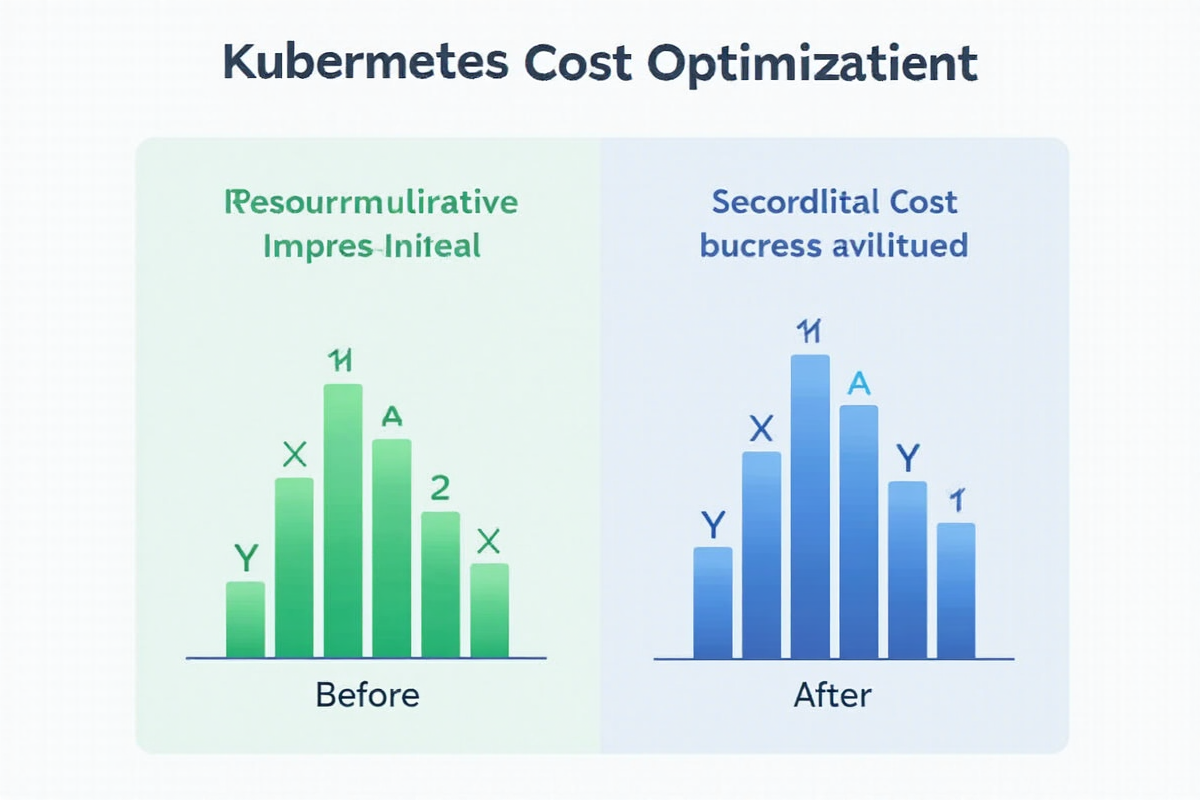
Kubernetes 降本增效:如何减少 30% 的资源浪费
引言:云成本失控的真相
很多团队在 Kubernetes 上部署应用后,发现云账单越来越贵。根据 Gartner 的研究,K8s 集群平均有 30-40% 的资源被浪费。
今天这篇教程将带你深入掌握 Kubernetes 资源优化策略,让你减少 30% 的资源浪费,同时保持应用稳定运行。
第一章:资源浪费的根源
1.1 常见浪费场景
❌ 资源浪费的常见原因:
- 过度配置(Over-provisioning)
- 默认请求值过高
- CPU 限制设置不合理
- 内存预留过多
- 资源碎片(Resource Fragmentation)
- 节点资源利用不均
- 小任务占用大节点
- 节点闲置率高
- 缺乏自动扩缩容
- 固定资源无法应对流量变化
- 高峰期资源不足
- 低谷期资源闲置
- 镜像和配置问题
- 大体积镜像
- 未优化的容器启动
- 过多不必要的应用
1.2 成本数据对比
┌─────────────────────────────────┬──────────────┬──────────────┬────────────┐
│ 优化阶段                        │ 优化前       │ 优化后       │ 节省       │
├─────────────────────────────────┼──────────────┼──────────────┼────────────┤
│ CPU 请求                        │ 100%         │ 45%          │ 55%        │
│ 内存请求                        │ 100%         │ 50%          │ 50%        │
│ 节点数量                        │ 10 个        │ 6 个         │ 40%        │
│ 月成本(以 10 节点集群为例)     │ ¥50,000      │ ¥32,000      │ 36%        │
│ 资源利用率                      │ 35%          │ 65%          │ 86%↑       │
└─────────────────────────────────┴──────────────┴──────────────┴────────────┘
第二章:资源请求与限制
2.1 理解 Requests 和 Limits
“`yaml
资源配置说明
resources:
requests:
cpu: “500m” # 保证的资源(调度依据)
memory: “256Mi” # 保证的资源(调度依据)
limits:
cpu: “1000m” # 最大使用量(可能限制)
memory: “512Mi” # 最大使用量(OOM 风险)
关键概念:
- Requests:调度时保证的最小资源
- Limits:容器能使用的最大资源
- CPU:millicores (1000m = 1 CPU)
- Memory:MiB (1GiB = 1024MiB)
2.2 合理的资源配置
yaml
❌ 错误的配置示例
apiVersion: v1
kind: Pod
metadata:
name: over-provisioned
spec:
containers:
- name: app
image: myapp:latest
resources:
requests:
cpu: “4000m”
memory: “8Gi”
limits:
cpu: “8000m”
memory: “16Gi”
# 实际使用:200m CPU, 256Mi 内存
✅ 正确的配置示例
apiVersion: v1
kind: Pod
metadata:
name: optimized
spec:
containers:
- name: app
image: myapp:latest
resources:
requests:
cpu: “200m”
memory: “256Mi”
limits:
cpu: “500m”
memory: “512Mi”
2.3 基于实际数据的配置
yaml
使用 VPA 获取推荐值
apiVersion: autoscaling.k8s.io/v1
kind: VerticalPodAutoscaler
metadata:
name: app-vpa
spec:
targetRef:
apiVersion: apps/v1
kind: Deployment
name: my-app
updatePolicy:
updateMode: “Auto” # Auto, Initial, Recreate
yaml
推荐配置文件
apiVersion: apps/v1
kind: Deployment
metadata:
name: optimized-app
spec:
template:
spec:
containers:
- name: app
image: myapp:latest
resources:
requests:
cpu: “250m”
memory: “384Mi”
limits:
cpu: “600m”
memory: “768Mi”
# 基于 7 天监控数据配置
# CPU 平均使用:180m, 峰值:450m
# 内存平均使用:320Mi, 峰值:600Mi
2.4 不同场景的推荐配置
yaml
前端服务(高并发)
frontend:
requests:
cpu: “100m”
memory: “128Mi”
limits:
cpu: “500m”
memory: “512Mi”
后端服务(计算密集)
backend:
requests:
cpu: “500m”
memory: “512Mi”
limits:
cpu: “2000m”
memory: “2Gi”
数据库(稳定运行)
database:
requests:
cpu: “1000m”
memory: “4Gi”
limits:
cpu: “4000m”
memory: “8Gi”
批处理任务(低优先级)
batch:
requests:
cpu: “1000m”
memory: “2Gi”
limits:
cpu: “4000m”
memory: “8Gi”
priorityClassName: low-priority
第三章:自动扩缩容策略

3.1 水平自动扩缩容(HPA)
yaml
apiVersion: autoscaling/v2
kind: HorizontalPodAutoscaler
metadata:
name: app-hpa
spec:
scaleTargetRef:
apiVersion: apps/v1
kind: Deployment
name: my-app
minReplicas: 2
maxReplicas: 20
metrics:
- type: Resource
resource:
name: cpu
target:
type: Utilization
averageUtilization: 70
- type: Resource
resource:
name: memory
target:
type: Utilization
averageUtilization: 80
behavior:
scaleUp:
stabilizationWindowSeconds: 0
policies:
- type: Pods
periodSeconds: 10
value: 4
scaleDown:
stabilizationWindowSeconds: 300
policies:
- type: Pods
periodSeconds: 60
value: 2
3.2 垂直自动扩缩容(VPA)
yaml
apiVersion: autoscaling.k8s.io/v1
kind: VerticalPodAutoscaler
metadata:
name: app-vpa
spec:
targetRef:
apiVersion: apps/v1
kind: Deployment
name: my-app
updatePolicy:
updateMode: “Initial” # Auto, Initial, Recreate
resourcePolicy:
containerPolicies:
- containerName: “*”
minAllowed:
cpu: 100m
memory: 128Mi
maxAllowed:
cpu: 2000m
memory: 2Gi
3.3 集群自动扩缩容(Cluster Autoscaler)
yaml
Cluster Autoscaler 配置
apiVersion: v1
kind: ConfigMap
metadata:
name: cluster-autoscaler
namespace: kube-system
data:
CLUSTER_AUTOSCULER_ENABLED: “true”
SKIP_NODES_WITH_LOCAL_STORAGE: “true”
SKIP_NODES_WITH_SYSTEM_DAEMONS: “true”
yaml
Node Pool 配置示例
apiVersion: autoscaling.k8s.io/v1
kind: Cluster Autoscaler
metadata:
name: cluster-autoscaler
spec:
minNodes: 3
maxNodes: 20
nodeGroups:
- nodeGroup: “default-pool”
minSize: 2
maxSize: 10
instanceTypes:
- “n1-standard-2”
- “n1-standard-4”
3.4 自定义指标扩缩容
yaml
apiVersion: autoscaling/v2
kind: HorizontalPodAutoscaler
metadata:
name: custom-metrics-hpa
spec:
scaleTargetRef:
apiVersion: apps/v1
kind: Deployment
name: api-service
minReplicas: 2
maxReplicas: 50
metrics:
- type: Pods
pods:
metric:
name: http_requests_per_second
target:
type: AverageValue
averageValue: “100”
- type: Object
object:
metric:
name: queue_depth
describedObject:
apiVersion: apps/v1
kind: Deployment
name: message-queue
target:
type: Value
value: “50”
第四章:资源优化策略

4.1 节点资源优化
yaml
使用 Node Affinity 优化调度
apiVersion: apps/v1
kind: Deployment
metadata:
name: optimized-deployment
spec:
template:
spec:
affinity:
nodeAffinity:
requiredDuringSchedulingIgnoredDuringExecution:
nodeSelectorTerms:
- matchExpressions:
- key: node-type
operator: In
values: [“compute”]
- key: zone
operator: In
values: [“us-east-1a”]
tolerations:
- key: “dedicated”
operator: “Equal”
value: “special-workload”
effect: “NoSchedule”
yaml
使用 Pod Priority 优化资源分配
apiVersion: v1
kind: PriorityClass
metadata:
name: high-priority
value: 1000000
globalDefault: false
description: “Critical workloads”
—
apiVersion: v1
kind: Pod
metadata:
name: critical-service
spec:
priorityClassName: high-priority
containers:
- name: app
image: myapp:latest
4.2 镜像优化
dockerfile
❌ 大镜像示例
FROM ubuntu:latest
RUN apt-get update && apt-get install -y \
build-essential \
curl \
wget \
vim \
… # 2GB+ 镜像
✅ 多阶段构建优化
阶段 1:构建
FROM golang:1.21 AS builder
WORKDIR /app
COPY . .
RUN go build -o main .
阶段 2:运行时
FROM alpine:3.18
WORKDIR /app
COPY –from=builder /app/main .
RUN adduser -D appuser && chown -R appuser:appuser /app
USER appuser
EXPOSE 8080
CMD [“./main”]
结果:50MB 镜像
4.3 资源调度优化
yaml
使用 Pod Disruption Budget 保护
apiVersion: policy/v1
kind: PodDisruptionBudget
metadata:
name: app-pdb
spec:
minAvailable: 2
selector:
matchLabels:
app: my-app
使用 Topology Spread 优化分布
apiVersion: apps/v1
kind: Deployment
metadata:
name: topology-spread
spec:
template:
spec:
topologySpreadConstraints:
- maxSkew: 1
topologyKey: topology.kubernetes.io/zone
whenUnsatisfiable: DoNotSchedule
labelSelector:
matchLabels:
app: my-app
4.4 资源监控与分析
yaml
使用 Prometheus 监控
apiVersion: monitoring.coreos.com/v1
kind: PrometheusRule
metadata:
name: resource-optimization
spec:
groups:
- name: resource-optimization
rules:
- alert: HighCPUUsage
expr: sum(rate(container_cpu_usage_seconds_total[5m])) by (pod) > 0.8
for: 5m
annotations:
summary: “Pod {{ $labels.pod }} has high CPU usage”
第五章:成本优化实战

5.1 使用 Spot 实例
yaml
apiVersion: v1
kind: Pod
metadata:
name: spot-instance
spec:
nodeSelector:
kubernetes.io/os: linux
node-type: spot
tolerations:
- key: spot-instance
operator: Equal
value: “true”
effect: NoSchedule
containers:
- name: app
image: myapp:latest
resources:
requests:
cpu: “1000m”
memory: “2Gi”
limits:
cpu: “2000m”
memory: “4Gi”
5.2 使用 Reserved Instances
yaml
为长期运行的服务预留实例
apiVersion: v1
kind: Pod
metadata:
name: reserved-workload
spec:
nodeSelector:
reserved: “true”
workloads: “stable”
containers:
- name: app
image: myapp:latest
resources:
requests:
cpu: “2000m”
memory: “4Gi”
limits:
cpu: “4000m”
memory: “8Gi”
5.3 成本对比数据
优化前:
- 节点:20 个 n1-standard-4
- CPU 请求:40 cores
- 内存请求:80 GB
- 月成本:¥80,000
- 资源利用率:35%
优化后:
- 节点:12 个混合配置
- 6 个 n1-standard-4(核心服务)
- 4 个 Spot 实例(批处理)
- 2 个 Reserved 实例(稳定服务)
- CPU 请求:20 cores
- 内存请求:40 GB
- 月成本:¥52,000
- 资源利用率:68%
节省:¥28,000/月 (35%)
第六章:最佳实践清单

6.1 资源配置最佳实践
✅ 最佳实践:
- 设置合理的 Requests 和 Limits
- 避免 Requests == Limits
- 定期调整资源配置
- 使用 VPA 获取推荐值
- 监控实际使用情况
- 使用资源配额(ResourceQuota)
- 过度配置资源
- 不设 Limits
- 忽略内存 OOM
- 不监控资源使用
- 忽略成本指标
- 每日:检查资源使用情况
- 每周:调整 VPA 配置
- 每月:分析成本报告
- 每季:优化整体架构
- 精确配置 Requests 和 Limits
- 使用 HPA/VPA 自动扩缩容
- 优化镜像体积
- 合理使用节点和实例
- 持续监控和优化
- 成本降低:30-40%
- 资源利用率提升:2 倍
- 运维效率提升:50%
- 系统稳定性提升
- 评估当前资源使用情况
- 配置合理的 Requests/Limits
- 启用自动扩缩容
- 建立监控和告警
- 持续优化迭代
- [Kubernetes 资源管理](https://kubernetes.io/docs/concepts/configuration/manage-compute-resources-container/)
- [Kubernetes 自动扩缩容](https://kubernetes.io/docs/tasks/run-application/horizontal-pod-autoscale/)
- [云成本优化指南](https://aws.amazon.com/blogs/containers/kubernetes-resource-management-and-cost-optimization/)
- [Spot Instances 文档](https://aws.amazon.com/ec2/spot/)
❌ 避免:
6.2 监控和告警
yaml
apiVersion: v1
kind: ResourceQuota
metadata:
name: namespace-quota
namespace: production
spec:
hard:
requests.cpu: “20”
requests.memory: “40Gi”
limits.cpu: “40”
limits.memory: “80Gi”
pods: “100”
6.3 持续优化策略
优化周期建议:
“`
总结:K8s 资源优化指南
通过合理的资源优化策略:
核心优化点:
预期收益:
下一步行动:
掌握 Kubernetes 资源优化,让你的云成本减半,效率翻倍!🚀
—
参考资源:
发表评论