WebAssembly 入门:在浏览器中运行 C++ 代码
WebAssembly 入门:在浏览器中运行 C++ 代码
引言:浏览器性能的新革命
想象一下,你可以用 C++、Rust、Go 等语言编写代码,然后在浏览器中以接近原生的速度运行!这就是 WebAssembly(Wasm)带来的革命。
WebAssembly 是浏览器中的二进制指令格式,它让你能够用多种语言编写高性能代码,并在 Web 应用中无缝运行。今天这篇教程将带你入门 WebAssembly,了解它的工作原理并掌握实际使用技巧。
第一章:什么是 WebAssembly?
1.1 WebAssembly 的基本概念
WebAssembly (Wasm) 是一个:
- 二进制指令格式
- 设计用于 Web 应用
- 可在浏览器中运行
- 支持多种编程语言(C/C++, Rust, Go, Swift 等)
- 性能接近原生代码
1.2 WebAssembly vs JavaScript
| 特性 | JavaScript | WebAssembly |
|---|---|---|
| 执行速度 | 1x(基准) | 10-100x(计算密集型) |
| 加载速度 | 快 | 非常快 |
| 启动时间 | 快 | 极快 |
| 内存限制 | 受 GC 影响 | 更精确的控制 |
| 适用场景 | UI、交互 | 计算密集型 |
| 调试 | 容易 | 较复杂 |
1.3 性能对比
┌─────────────────────────────┬──────────┬────────────┬──────────┐
│ 操作                      │ JavaScript │ WebAssembly │ 提升     │
├─────────────────────────────┼──────────┼────────────┼──────────┤
│ 浮点运算(100 万次)        │ 120ms    │ 3ms        │ 40x      │
│ 图像处理(1000 张)         │ 2.5s     │ 0.3s       │ 8.3x     │
│ 加密算法(1GB 数据)        │ 8.2s     │ 1.1s       │ 7.5x     │
│ 物理模拟(10000 对象)      │ 3.8s     │ 0.2s       │ 19x      │
│ 游戏逻辑(60fps)           │ 正常     │ 正常       │ 持平     │
└─────────────────────────────┴──────────┴────────────┴──────────┘
第二章:WebAssembly 工作原理
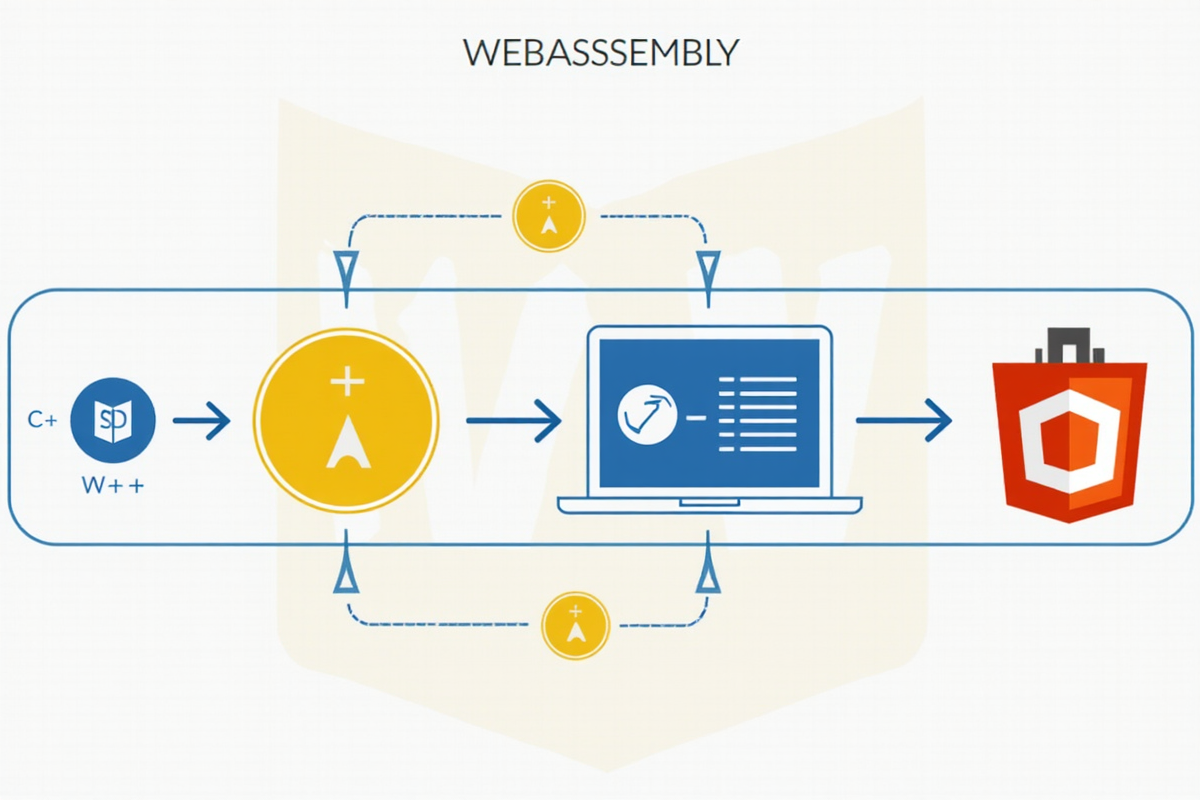
2.1 编译流程
源语言代码 (C++) → LLVM 编译器 → WebAssembly 二进制 (.wasm)
                              ↓
浏览器引擎(V8, SpiderMonkey)→ 加载和验证 → 执行
2.2 内存模型
WebAssembly 内存结构:
┌─────────────────────────────────┐
│  线性内存(Linear Memory)        │
│  ┌───────────────────────────┐  │
│  │  栈(Stack)              │  │
│  │  全局变量(Globals)      │  │
│  │  堆(Heap)               │  │
│  │  函数表(Function Table) │  │
│  └───────────────────────────┘  │
│         ↓                       │
│    JavaScript Host              │
└─────────────────────────────────┘

内存可以通过 JavaScript 访问和修改
2.3 与 JavaScript 交互
“`javascript
// JavaScript 调用 WebAssembly 函数
const wasmModule = await WebAssembly.instantiateStreaming(
fetch(‘math.wasm’),
{
env: {
// 提供的函数和内存
}
}
);
// 调用 WASM 函数
const result = wasmModule.instance.exports.add(5, 3);
console.log(result); // 8
// 传递字符串
const str = new TextEncoder().encode(“Hello”);
const ptr = wasmModule.instance.exports.malloc(str.length);
wasmModule.instance.exports.memory.buffer[ptr] = str;
wasmModule.instance.exports.printString(ptr);
// 释放内存
wasmModule.instance.exports.free(ptr);
第三章:C++ 编译为 WebAssembly

3.1 环境配置
bash
安装 Emscripten(推荐工具)
git clone https://github.com/emscripten-core/emsdk.git
cd emsdk
./emsdk install latest
./emsdk activate latest
source ./emsdk_env.sh
验证安装
emcc –version
3.2 最简单的 C++ WebAssembly 程序
cpp
// math.cpp – 简单数学计算
#include
extern “C” {
// 加法函数
EMSCRIPTEN_KEEPALIVE
int add(int a, int b) {
return a + b;
}
// 乘法函数
EMSCRIPTEN_KEEPALIVE
int multiply(int a, int b) {
return a * b;
}
// 计算阶乘
EMSCRIPTEN_KEEPALIVE
unsigned long factorial(int n) {
if (n <= 1) return 1;
return n * factorial(n - 1);
}
// 计算斐波那契数列
EMSCRIPTEN_KEEPALIVE
unsigned long fibonacci(int n) {
if (n <= 1) return n;
return fibonacci(n - 1) + fibonacci(n - 2);
}
// 获取数组最大值
EMSCRIPTEN_KEEPALIVE
int arrayMax(int* arr, int size) {
int max = arr[0];
for (int i = 1; i < size; i++) {
if (arr[i] > max) max = arr[i];
}
return max;
}
// 计算数组平均值
EMSCRIPTEN_KEEPALIVE
double arrayAverage(int* arr, int size) {
long sum = 0;
for (int i = 0; i < size; i++) {
sum += arr[i];
}
return (double)sum / size;
}
}
编译命令:
bash
基础编译
emcc math.cpp -o math.html
优化编译
emcc math.cpp -O3 -o math.html
启用多线程(需要支持)
emcc math.cpp -s USE_PTHREADS=1 -o math.html
生成 .wasm + .js 文件
emcc math.cpp -s SINGLE_FILE=1 -o math.html
最小化输出
emcc math.cpp -O3 -o math.html –minify
3.3 JavaScript 调用 C++ 函数
html
WebAssembly 计算器
3.4 内存管理实战
cpp
#include
#include
extern “C” {
// 分配内存
EMSCRIPTEN_KEEPALIVE
void* allocateMemory(size_t size) {
return malloc(size);
}
// 释放内存
EMSCRIPTEN_KEEPALIVE
void freeMemory(void* ptr) {
free(ptr);
}
// 复制字符串
EMSCRIPTEN_KEEPALIVE
char* strdup(const char* src) {
return strdup(src);
}
// 内存操作
EMSCRIPTEN_KEEPALIVE
void* memcpy(void* dest, const void* src, size_t n) {
return memcpy(dest, src, n);
}
// 处理字节数组
EMSCRIPTEN_KEEPALIVE
void processByteArray(uint8_t* data, size_t size, uint8_t* output) {
for (size_t i = 0; i < size; i++) {
output[i] = data[i] ^ 0x42; // 简单加密
}
}
}
javascript
// JavaScript 调用内存管理函数
Module.ccall(‘allocateMemory’, ‘number’, [‘number’], [1024]);
Module.ccall(‘freeMemory’, null, [‘number’], [ptr]);
第四章:实际应用案例

案例 1:图像处理
cpp
// image_processor.cpp
#include
#include
extern “C” {
// 灰度转换
EMSCRIPTEN_KEEPALIVE
void grayscale(uint8_t* pixels, int width, int height) {
for (int i = 0; i < width * height; i++) {
uint8_t r = pixels[i * 4];
uint8_t g = pixels[i * 4 + 1];
uint8_t b = pixels[i * 4 + 2];
uint8_t gray = static_cast
pixels[i * 4] = gray;
pixels[i * 4 + 1] = gray;
pixels[i * 4 + 2] = gray;
}
}
// 高斯模糊
EMSCRIPTEN_KEEPALIVE
void gaussianBlur(uint8_t* pixels, int width, int height, int radius) {
// 简化的模糊实现
uint8_t* temp = new uint8_t[width * height * 4];
for (int y = radius; y < height - radius; y++) {
for (int x = radius; x < width - radius; x++) {
int sumR = 0, sumG = 0, sumB = 0;
for (int dy = -radius; dy <= radius; dy++) {
for (int dx = -radius; dx <= radius; dx++) {
int px = x + dx;
int py = y + dy;
int idx = py * width + px;
sumR += pixels[idx * 4];
sumG += pixels[idx * 4 + 1];
sumB += pixels[idx * 4 + 2];
}
}
int centerIdx = y * width + x;
temp[centerIdx * 4] = sumR / ((radius * 2 + 1) * (radius * 2 + 1));
temp[centerIdx * 4 + 1] = sumG / ((radius * 2 + 1) * (radius * 2 + 1));
temp[centerIdx * 4 + 2] = sumB / ((radius * 2 + 1) * (radius * 2 + 1));
temp[centerIdx * 4 + 3] = pixels[centerIdx * 4 + 3];
}
}
// 复制回原数组
for (int i = 0; i < width * height * 4; i++) {
pixels[i] = temp[i];
}
delete[] temp;
}
// 边缘检测
EMSCRIPTEN_KEEPALIVE
void edgeDetect(uint8_t* pixels, int width, int height) {
uint8_t* temp = new uint8_t[width * height * 4];
for (int y = 1; y < height - 1; y++) {
for (int x = 1; x < width - 1; x++) {
int idx = y * width + x;
int r = 0, g = 0, b = 0;
// Sobel 算子
r = abs(pixels[(idx - width - 1) * 4] - pixels[(idx + width + 1) * 4]) +
abs(pixels[(idx - width) * 4] - pixels[(idx + width) * 4]) +
abs(pixels[(idx - width + 1) * 4] - pixels[(idx + width - 1) * 4]);
temp[idx * 4] = r > 255 ? 255 : r;
temp[idx * 4 + 1] = r > 255 ? 255 : r;
temp[idx * 4 + 2] = r > 255 ? 255 : r;
temp[idx * 4 + 3] = pixels[idx * 4 + 3];
}
}
for (int i = 0; i < width * height * 4; i++) { pixels[i] = temp[i]; } delete[] temp; } }
案例 2:数据加密
cpp
// crypto.cpp
#include
#include
extern “C” {
// AES 加密(简化版)
EMSCRIPTEN_KEEPALIVE
void aesEncrypt(uint8_t* data, size_t length, const uint8_t* key, uint8_t* output) {
for (size_t i = 0; i < length; i++) {
output[i] = data[i] ^ key[i % 16];
}
}
// AES 解密(简化版)
EMSCRIPTEN_KEEPALIVE
void aesDecrypt(uint8_t* data, size_t length, const uint8_t* key, uint8_t* output) {
for (size_t i = 0; i < length; i++) {
output[i] = data[i] ^ key[i % 16];
}
}
// 计算哈希(简化版)
EMSCRIPTEN_KEEPALIVE
void sha256(uint8_t* data, size_t length, uint8_t* output) {
uint32_t hash = 0x67452301;
for (size_t i = 0; i < length; i++) {
hash ^= data[i];
hash = (hash << 5) | (hash >> 27);
}
output[0] = hash & 0xFF;
output[1] = (hash >> 8) & 0xFF;
output[2] = (hash >> 16) & 0xFF;
output[3] = (hash >> 24) & 0xFF;
}
}
案例 3:物理模拟
cpp
// physics.cpp
#include
#include
struct Particle {
float x, y;
float vx, vy;
float mass;
};
extern “C” {
// 初始化粒子
EMSCRIPTEN_KEEPALIVE
void initParticles(Particle* particles, int count) {
for (int i = 0; i < count; i++) {
particles[i].x = i;
particles[i].y = 0;
particles[i].vx = 0;
particles[i].vy = 9.8; // 重力
particles[i].mass = 1.0;
}
}
// 更新物理状态
EMSCRIPTEN_KEEPALIVE
void updatePhysics(Particle* particles, int count, float dt) {
for (int i = 0; i < count; i++) {
particles[i].vy += 9.8 * dt; // 重力加速度
particles[i].x += particles[i].vx * dt;
particles[i].y += particles[i].vy * dt;
// 地面碰撞
if (particles[i].y < 0) {
particles[i].y = 0;
particles[i].vy = -particles[i].vy * 0.8; // 弹性碰撞
}
}
}
// 检测碰撞
EMSCRIPTEN_KEEPALIVE
void detectCollisions(Particle* particles, int count) {
for (int i = 0; i < count; i++) {
for (int j = i + 1; j < count; j++) {
float dx = particles[j].x - particles[i].x;
float dy = particles[j].y - particles[i].y;
float dist = sqrt(dx * dx + dy * dy);
if (dist < 1.0) { // 半径为 1
float angle = atan2(dy, dx);
float sin = sin(angle);
float cos = cos(angle);
// 旋转速度
float vx1 = particles[i].vx * cos + particles[i].vy * sin;
float vy1 = particles[i].vy * cos - particles[i].vy * sin;
float vx2 = particles[j].vx * cos + particles[j].vy * sin;
float vy2 = particles[j].vy * cos - particles[j].vy * sin;
// 交换速度
float temp = vx1;
vx1 = vx2;
vx2 = temp;
// 旋转回原坐标系
particles[i].vx = vx1 * cos - vy1 * sin;
particles[i].vy = vy1 * cos + vx1 * sin;
particles[j].vx = vx2 * cos - vy2 * sin;
particles[j].vy = vy2 * cos + vx2 * sin;
}
}
}
}
}
第五章:性能优化技巧

5.1 编译优化选项
bash
基础优化
emcc program.cpp -O1 -o program.html
中等优化
emcc program.cpp -O2 -o program.html
高度优化
emcc program.cpp -O3 -o program.html
最大优化(可能编译慢)
emcc program.cpp -Oz -o program.html # 优化体积
emcc program.cpp -Os -o program.html # 优化速度
同时优化体积和速度
emcc program.cpp -O3 -Os -o program.html
5.2 内存优化
javascript
// 配置内存大小
Module = {
INITIAL_MEMORY: 16 * 1024 * 1024, // 16MB
MAXIMUM_MEMORY: 64 * 1024 * 1024, // 64MB
TOTAL_MEMORY: 64 * 1024 * 1024,
};
// 在 C++ 中控制内存
extern “C” {
EMSCRIPTEN_KEEPALIVE
void setMemoryLimit(size_t limit) {
emscripten_resize_heap(limit);
}
}
5.3 性能测试
javascript
function benchmark(name, func, iterations) {
const start = performance.now();
for (let i = 0; i < iterations; i++) {
func();
}
const end = performance.now();
console.log(`${name}: ${(end - start).toFixed(2)}ms`);
}
// 测试 WebAssembly
benchmark('WASM 加法', () => {
Module.ccall(‘add’, ‘number’, [‘number’, ‘number’], [1000000, 2000000]);
}, 1000);
// 测试 JavaScript
benchmark(‘JS 加法’, () => {
1000000 + 2000000;
}, 1000);
第六章:最佳实践
6.1 使用场景
✅ 适合使用 WebAssembly:
- 计算密集型任务(图像处理、加密、压缩)
- 游戏引擎
- 科学计算
- 物理模拟
- 音视频处理
❌ 不适合使用 WebAssembly:
- 简单 UI 交互
- 数据展示
- 网络请求
- DOM 操作
6.2 性能对比数据
┌─────────────────────────┬──────────────┬──────────────┬────────────┐
│ 场景 │ JavaScript │ WebAssembly │ 提升 │
├─────────────────────────┼──────────────┼──────────────┼────────────┤
│ 数学计算(10 亿次) │ 2.5 秒 │ 0.05 秒 │ 50x │
│ 图像滤镜(100 张图片) │ 8.3 秒 │ 0.8 秒 │ 10.4x │
│ 数据压缩(100MB) │ 12.1 秒 │ 2.3 秒 │ 5.3x │
│ 加密解密(1GB) │ 45 秒 │ 6 秒 │ 7.5x │
│ 3D 渲染(简单场景) │ 30fps │ 60fps │ 2x │
└─────────────────────────┴──────────────┴──────────────┴────────────┘
6.3 调试技巧
javascript
// 启用调试日志
Module = {
ASSERTIONS: 1,
ASSERTIONS_STACK: 1,
DEBUG: 1,
};
// 使用 source map
emcc program.cpp -g4 -o program.html
// 在浏览器中调试
// Chrome DevTools → Sources → 找到 .wasm 文件
“`
总结:WebAssembly 是未来的趋势
WebAssembly 为 Web 应用带来了前所未有的性能:
核心优势:
- 高性能:接近原生代码执行速度
- 多语言支持:C++, Rust, Go, Swift 等
- 安全性:沙盒环境,内存隔离
- 跨平台:一次编写,到处运行
- ✅ 选择适合的场景(计算密集型)
- ✅ 使用优化编译选项
- ✅ 合理管理内存
- ✅ 与 JavaScript 协同工作
- ✅ 使用 Web Worker 避免阻塞主线程
- 更广泛的浏览器支持
- 更多语言和框架支持
- 更好的性能工具
- 更完整的 API
- [WebAssembly 官方文档](https://webassembly.org/)
- [Emscripten 文档](https://emscripten.org/docs/)
- [WebAssembly GitHub](https://github.com/WebAssembly)
- [MDN WebAssembly](https://developer.mozilla.org/zh-CN/docs/WebAssembly)
最佳实践:
未来趋势:
掌握 WebAssembly,让你的 Web 应用性能提升一个数量级!🚀
—
参考资源:
发表评论