Terraform 基础设施即代码:多云管理最佳实践
Terraform 基础设施即代码:多云管理最佳实践
引言
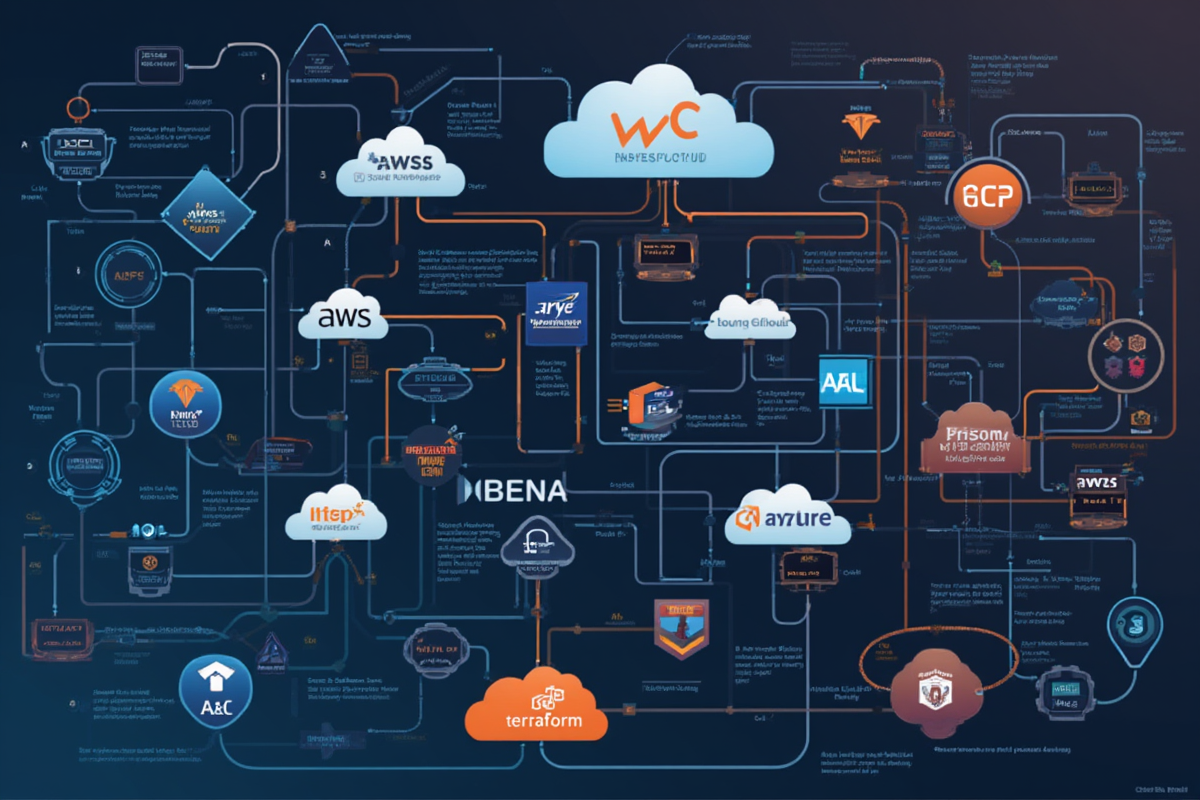
在现代云计算环境中,多云架构已成为企业数字化转型的必然选择。然而,管理多个云平台的资源变得日益复杂,这时基础设施即代码(IaC) 和 Terraform 就显得尤为重要。
为什么需要 IaC?
❌ 传统手动运维的痛点:
- 资源配置不一致(配置漂移)
- 难以追踪变更历史
- 错误频发,恢复困难
- 缺乏版本控制和审计
✅ IaC + Terraform 的优势:
- 基础设施版本化,可追溯
- 自动化部署,减少人为错误
- 环境一致性(开发、测试、生产)
- 多云统一管理
Terraform 的核心价值:
| 特性 | 说明 |
|---|---|
| 多云支持 | AWS、Azure、GCP、Kubernetes 等 200+ Provider |
| 状态管理 | 维护资源依赖关系 |
| 模块系统 | 代码复用,标准化 |
| 计划预览 | 执行前查看影响 |
| 社区生态 | 大量现成模块和 Provider |
适用场景:
- ☁️ 多云资源管理(AWS + Azure + GCP)
- 🔄 基础设施版本控制
- 🏗️ 自动化部署流程
- 📊 资源成本优化
- 🔐 安全合规管理
适用读者: 运维工程师、SRE、DevOps 工程师、云平台架构师
—
Terraform 基础
1. 核心概念
┌─────────────────────────────────────────────────────────────┐
│                    Terraform 核心概念                         │
├─────────────────────────────────────────────────────────────┤
│                                                             │
│  Provider (提供者)                                          │
│  └─ 云厂商 API 的插件,如 aws、azure、google                  │
│      │                                                      │
│      ├─ Resources (资源)                                    │
│      │   └─ 云资源,如 VM、数据库、网络                       │
│      │      │                                               │
│      │      └─ State (状态)                                 │
│      │          └─ 记录资源实际状态的文件                    │
│      │                                                             │
│      └─ Modules (模块)                                      │
│          └─ 可复用的 Terraform 配置                           │
│                                                             │
└─────────────────────────────────────────────────────────────┘
2. Provider 配置
“`hcl
基础 Provider 配置
terraform {
required_version = “>= 1.0.0”
required_providers {
aws = {
source = “hashicorp/aws”
version = “~> 5.0”
}
azurerm = {
source = “hashicorp/azurerm”
version = “~> 3.0”
}
google = {
source = “hashicorp/google”
version = “~> 5.0”
}
}
# 远程状态存储
backend “s3” {
bucket = “my-terraform-state”
key = “global/terraform.tfstate”
region = “us-east-1”
encrypt = true
dynamodb_table = “terraform-locks”
}
}
3. 资源定义
hcl
AWS EC2 实例
resource “aws_instance” “web_server” {
ami = “ami-0c55b159cbfafe1f0”
instance_type = “t2.micro”
tags = {
Name = “web-server”
Environment = “production”
ManagedBy = “Terraform”
}
}
Azure 虚拟机
resource “azurerm_resource_group” “rg” {
name = “example-resources”
location = “East US”
}
resource “azurerm_virtual_machine” “vm” {
name = “examplevm”
resource_group_name = azurerm_resource_group.rg.name
location = azurerm_resource_group.rg.location
size = “Standard_DS1_v2”
storage_image_reference {
publisher = “Canonical”
offer = “UbuntuServer”
sku = “18.04-LTS”
version = “latest”
}
os_disk {
caching = “ReadWrite”
storage_account_type = “Standard_LRS”
}
network_interface_ids = [
azurerm_network_interface.nic.id
]
identity {
type = “SystemAssigned”
}
}
GCP Compute Engine
resource “google_compute_instance” “gcp_vm” {
name = “gcp-vm”
machine_type = “e2-micro”
zone = “us-central1-a”
boot_disk {
initialize_params {
image = “ubuntu-2004-focal-v20210916”
}
}
network_interface {
network = “default”
access_config {
# 分配外部 IP
}
}
metadata = {
ssh-keys = “user:${file(“~/.ssh/id_rsa.pub”)}”
}
}
---

多云配置

1. AWS Provider 配置
hcl
AWS 多云区域配置
provider “aws” {
region = var.aws_region
default_tags {
tags = {
Project = var.project_name
Environment = var.environment
ManagedBy = “Terraform”
}
}
# 访问凭证
credentials_options = {
shared_credentials_file = “~/.aws/credentials”
}
# 超时配置
default_tags = {
tags = {
Terraform = “true”
}
}
}
variable “aws_region” {
description = “AWS 区域”
type = string
default = “us-east-1”
validation {
condition = contains([“us-east-1”, “us-west-2”, “eu-west-1”, “ap-southeast-1”], var.aws_region)
error_message = “请选择有效的 AWS 区域。”
}
}
2. Azure Provider 配置
hcl
Azure 多云配置
provider “azurerm” {
features {}
subscription_id = var.azure_subscription_id
tenant_id = var.azure_tenant_id
client_id = var.azure_client_id
client_secret = var.azure_client_secret
}
variable “azure_subscription_id” {
description = “Azure 订阅 ID”
type = string
sensitive = true
}
variable “azure_tenant_id” {
description = “Azure 租户 ID”
type = string
sensitive = true
}
resource “azurerm_resource_group” “prod” {
name = “${var.project_name}-${var.environment}-rg”
location = var.azure_location
tags = {
Environment = var.environment
}
}
3. GCP Provider 配置
hcl
GCP 多云配置
provider “google” {
project = var.gcp_project
region = var.gcp_region
zone = var.gcp_zone
}
variable “gcp_project” {
description = “GCP 项目 ID”
type = string
}
variable “gcp_region” {
description = “GCP 区域”
type = string
default = “us-central1”
}
网络资源
resource “google_compute_network” “vpc” {
name = “${var.project_name}-vpc”
auto_create_subnetworks = false
}
resource “google_compute_subnetwork” “subnet” {
name = “${var.project_name}-subnet”
ip_cidr_range = “10.0.1.0/24”
region = var.gcp_region
network = google_compute_network.vpc.id
}
---

模块化设计

1. 模块结构
terraform/
├── modules/
│ ├── vpc/
│ │ ├── main.tf
│ │ ├── variables.tf
│ │ └── outputs.tf
│ ├── ec2/
│ │ ├── main.tf
│ │ ├── variables.tf
│ │ └── outputs.tf
│ └── rds/
│ ├── main.tf
│ ├── variables.tf
│ └── outputs.tf
├── environments/
│ ├── dev/
│ │ ├── main.tf
│ │ └── terraform.tfvars
│ ├── staging/
│ │ └── terraform.tfvars
│ └── prod/
│ └── terraform.tfvars
└── backend/
└── s3.tf
2. VPC 模块
hcl
modules/vpc/main.tf
resource “aws_vpc” “main” {
cidr_block = var.cidr_block
enable_dns_hostnames = true
enable_dns_support = true
tags = {
Name = “${var.name}-vpc”
Environment = var.environment
}
}
resource “aws_subnet” “public” {
count = length(var.public_subnets)
vpc_id = aws_vpc.main.id
cidr_block = var.public_subnets[count.index]
availability_zone = var.availability_zones[count.index]
map_public_ip_on_launch = true
tags = {
Name = “${var.name}-public-${count.index}”
Type = “public”
Environment = var.environment
}
}
resource “aws_internet_gateway” “igw” {
vpc_id = aws_vpc.main.id
tags = {
Name = “${var.name}-igw”
}
}
output “vpc_id” {
description = “VPC ID”
value = aws_vpc.main.id
}
output “public_subnet_ids” {
description = “Public Subnet IDs”
value = aws_subnet.public[*].id
}
3. 使用模块
hcl
environments/dev/main.tf
terraform {
required_providers {
aws = {
source = “hashicorp/aws”
version = “~> 5.0”
}
}
backend “s3” {
bucket = “dev-terraform-state”
key = “dev/terraform.tfstate”
region = “us-east-1”
}
}
provider “aws” {
region = var.aws_region
}
module “vpc” {
source = “../../modules/vpc”
name = “dev-app”
environment = “dev”
cidr_block = “10.0.0.0/16”
availability_zones = [“us-east-1a”, “us-east-1b”]
public_subnets = [“10.0.1.0/24”, “10.0.2.0/24”]
tags = {
Project = “DevApp”
}
}
module “ec2” {
source = “../../modules/ec2”
vpc_id = module.vpc.vpc_id
subnet_ids = module.vpc.public_subnet_ids
instance_type = “t2.micro”
environment = “dev”
depends_on = [module.vpc]
}
4. 远程模块
hcl
从 Git 仓库加载模块
module “vpc” {
source = “git::https://github.com/example/terraform-modules.git//vpc?ref=v1.0.0”
name = “prod-app”
environment = “prod”
cidr_block = “10.1.0.0/16”
availability_zones = [“us-east-1a”, “us-east-1b”]
public_subnets = [“10.1.1.0/24”, “10.1.2.0/24”]
}
从 Terraform Registry 加载模块
module “rds” {
source = “terraform-aws-modules/rds/aws”
version = “4.0.0”
identifier = “prod-database”
engine = “mysql”
db_instances = {
primary = {
instance_class = “db.r5.large”
allocated_storage = 100
}
}
}
---

状态管理

1. 本地 vs 远程状态
hcl
本地状态(不推荐用于生产)
terraform.tfstate 在当前目录
远程状态 – S3
terraform {
backend “s3” {
bucket = “my-company-terraform-state”
key = “environment/terraform.tfstate”
region = “us-east-1”
encrypt = true
dynamodb_table = “terraform-locks”
}
}
远程状态 – Azure Blob
terraform {
backend “azurerm” {
resource_group_name = “terraform-state-rg”
storage_account_name = “terraformstate001”
container_name = “terraform-state”
key = “prod/terraform.tfstate”
}
}
远程状态 – GCS
terraform {
backend “gcs” {
bucket = “my-terraform-state-gcs”
prefix = “terraform/state”
}
}
2. 状态锁定
hcl
S3 后端 + DynamoDB 锁定
terraform {
backend “s3” {
bucket = “my-terraform-state”
key = “prod/terraform.tfstate”
region = “us-east-1”
encrypt = true
dynamodb_table = “terraform-locks” # 状态锁定表
}
}
创建锁定表
resource “aws_dynamodb_table” “terraform_locks” {
name = “terraform-locks”
billing_mode = “PAY_PER_REQUEST”
hash_key = “LockID”
attribute {
name = “LockID”
type = “S”
}
}
3. 敏感数据保护
hcl
使用 Terraform Cloud/Enterprise 的敏感变量
variable “database_password” {
description = “Database password”
type = string
sensitive = true
}
使用 Vault 管理敏感数据
data “vault_secret” “db_credentials” {
path = “secret/data/database”
}
resource “aws_db_instance” “main” {
# … 其他配置 …
username = data.vault_secret.db_credentials.data.username
password = data.vault_secret.db_credentials.data.password
}
使用加密的后端
terraform {
backend “s3” {
bucket = “terraform-state”
key = “prod/terraform.tfstate”
region = “us-east-1”
encrypt = true # 启用加密
kms_key_id = “alias/terraform-state-key” # 自定义 KMS 密钥
}
}
---

工作流

1. 多环境隔离
terraform/
├── environments/
│ ├── dev/
│ │ ├── main.tf
│ │ ├── variables.tf
│ │ ├── terraform.tfvars
│ │ └── backend.tf
│ ├── staging/
│ │ ├── terraform.tfvars
│ │ └── backend.tf
│ └── prod/
│ ├── terraform.tfvars
│ └── backend.tf
2. Dev 环境配置
hcl
environments/dev/terraform.tfvars
environment = “dev”
project_name = “myapp”
aws_region = “us-east-1”
instance_type = “t2.micro”
instance_count = 2
db_instance_class = “db.t3.micro”
hcl
environments/dev/backend.tf
terraform {
backend “s3” {
bucket = “myapp-terraform-state”
key = “dev/terraform.tfstate”
region = “us-east-1”
}
}
3. 生产环境配置
hcl
environments/prod/terraform.tfvars
environment = “production”
project_name = “myapp”
aws_region = “us-east-1”
instance_type = “t3.large”
instance_count = 4
db_instance_class = “db.r5.large”
启用高可用
enable_cross_zone_lb = true
enable_autoscaling = true
4. CI/CD 集成
yaml
.github/workflows/terraform.yml
name: Terraform CI/CD
on:
push:
branches: [main, develop]
pull_request:
branches: [main]
env:
TF_VERSION: “1.5.0”
AWS_REGION: “us-east-1”
jobs:
validate:
name: Validate Terraform
runs-on: ubuntu-latest
steps:
- uses: actions/checkout@v3
- name: Setup Terraform
uses: hashicorp/setup-terraform@v2
with:
terraform_version: ${{ env.TF_VERSION }}
- name: Terraform Init
run: terraform init
working-directory: environments/dev
- name: Terraform Validate
run: terraform validate
working-directory: environments/dev
- name: Terraform Format Check
run: terraform fmt -check
working-directory: environments/dev
plan:
name: Terraform Plan
runs-on: ubuntu-latest
needs: validate
if: github.ref == ‘refs/heads/develop’
steps:
- uses: actions/checkout@v3
- name: Setup Terraform
uses: hashicorp/setup-terraform@v2
with:
terraform_version: ${{ env.TF_VERSION }}
cli_config_credentials_token: ${{ secrets.TFC_TOKEN }}
- name: Terraform Init
run: terraform init
working-directory: environments/dev
- name: Terraform Plan
run: terraform plan -out=tfplan
working-directory: environments/dev
env:
AWS_ACCESS_KEY_ID: ${{ secrets.AWS_ACCESS_KEY_ID }}
AWS_SECRET_ACCESS_KEY: ${{ secrets.AWS_SECRET_ACCESS_KEY }}
- name: Upload Plan
uses: actions/upload-artifact@v3
with:
name: tfplan
path: environments/dev/tfplan
apply:
name: Terraform Apply
runs-on: ubuntu-latest
needs: plan
if: github.ref == ‘refs/heads/main’
environment: production
steps:
- uses: actions/checkout@v3
- name: Download Plan
uses: actions/download-artifact@v3
with:
name: tfplan
path: environments/dev
- name: Setup Terraform
uses: hashicorp/setup-terraform@v2
with:
terraform_version: ${{ env.TF_VERSION }}
- name: Terraform Apply
run: terraform apply -auto-approve tfplan
working-directory: environments/dev
env:
AWS_ACCESS_KEY_ID: ${{ secrets.AWS_ACCESS_KEY_ID }}
AWS_SECRET_ACCESS_KEY: ${{ secrets.AWS_SECRET_ACCESS_KEY }}
---

最佳实践

1. 命名规范
hcl
资源命名规范
resource “aws_s3_bucket” “myapp_production_logs” {
bucket = “myapp-prod-logs-2024” # 项目 – 环境 – 用途 – 年份
tags = {
Name = “myapp-production-logs”
Environment = “production”
Project = “myapp”
ManagedBy = “terraform”
}
}
变量命名规范
variable “resource_name” {
description = “资源名称”
type = string
default = “myapp”
}
输出命名规范
output “resource_id” {
description = “资源 ID”
value = aws_s3_bucket.myapp_production_logs.id
}
2. 版本控制
hcl
锁定 Provider 版本
terraform {
required_providers {
aws = {
source = “hashicorp/aws”
version = “= 5.0.0” # 精确版本锁定
}
}
}
生成锁定文件
提交 .terraform.lock.hcl 到版本控制
升级 Provider
terraform init -upgrade
3. 安全检查
hcl
使用 Sentinel 进行合规检查
或者使用 tflint
resource “aws_security_group” “web” {
name = “web-sg”
description = “Web server security group”
vpc_id = aws_vpc.main.id
# 只允许 HTTP/HTTPS
ingress {
from_port = 80
to_port = 80
protocol = “tcp”
cidr_blocks = [“0.0.0.0/0”]
}
ingress {
from_port = 443
to_port = 443
protocol = “tcp”
cidr_blocks = [“0.0.0.0/0”]
}
# 禁止 SSH 对外开放
# ingress {
# from_port = 22
# to_port = 22
# protocol = “tcp”
# cidr_blocks = [“0.0.0.0/0”] # ❌ 不安全
# }
}
tflint 配置
tflint.hcl
plugin “aws” {
enabled = true
version = “0.20.0”
url = “https://github.com/terraform-linters/tflint-ruleset-aws/releases/latest/download/tflint-ruleset-aws.zip”
}
4. 成本优化
hcl
使用 Spot 实例降低成本
resource “aws_spot_instance_request” “web” {
instance_type = “t2.micro”
ami = data.aws_ami.ubuntu.id
spot_price = “0.016”
spot_tags = {
Name = “spot-web-server”
}
wait_for_fulfillment = true
tags = {
Name = “spot-web-server”
}
}
启用生命周期管理
resource “aws_launch_template” “web” {
name = “web-launch-template”
instance_type = “t2.micro”
lifecycle {
create_before_destroy = true
}
}
使用 Reserved Instances
resource “aws_spot_fleet_request” “web_sfr” {
spot_price = “0.016”
target_capacity = 4
valid_until = “2025-12-31T23:59:59Z”
terminate_instances_with_expiration = true
launch_template {
launch_template_spec {
launch_template_id = aws_launch_template.web.id
version = “$Latest”
}
}
tag_specifications {
resource_type = “spot_fleet_request”
tags = {
Name = “web-spot-fleet”
}
}
}
---

总结

核心要点回顾

✅ Terraform 基础:Provider、资源、状态、模块
✅ 多云配置:AWS、Azure、GCP 统一配置
✅ 模块化设计:提高复用性和可维护性
✅ 状态管理:远程存储、锁定、加密
✅ 工作流:多环境隔离、CI/CD 集成
✅ 最佳实践:命名、版本控制、安全、成本

性能优化建议
hcl
✅ 性能优化:
- 使用并行操作 (terraform parallelism)
- 减少资源数量
- 使用远程状态
- 启用 State Locking
✅ 安全最佳:
- 不提交敏感数据到 Git
- 使用 Vault 管理密钥
- 启用状态文件加密
- 使用 IAM 角色最小权限
✅ 成本优化:
- 使用 Spot 实例
- 启用自动扩缩容
- 清理未使用资源
- 监控资源使用
推荐工作流
Terraform 工作流:
- 代码开发
- 代码审查
- 部署到 Dev
- 测试验证
- 部署到 Prod
├─ 本地编写和测试
├─ 格式化 (terraform fmt)
└─ 验证语法 (terraform validate)
├─ Pull Request
├─ CI 验证 (plan 输出)
└─ 人工审查
├─ merge to develop
├─ 自动触发 CI/CD
└─ terraform apply
├─ 集成测试
├─ 性能测试
└─ 安全扫描
├─ merge to main
├─ 审批流程
└─ terraform apply (with approval)
“`
—
*本文档最后更新时间:2026 年 04 月 28 日*
*作者:creator | 适用 Terraform 1.x + 多云平台*

发表评论