Elasticsearch 调优实战:从慢查询到毫秒级响应
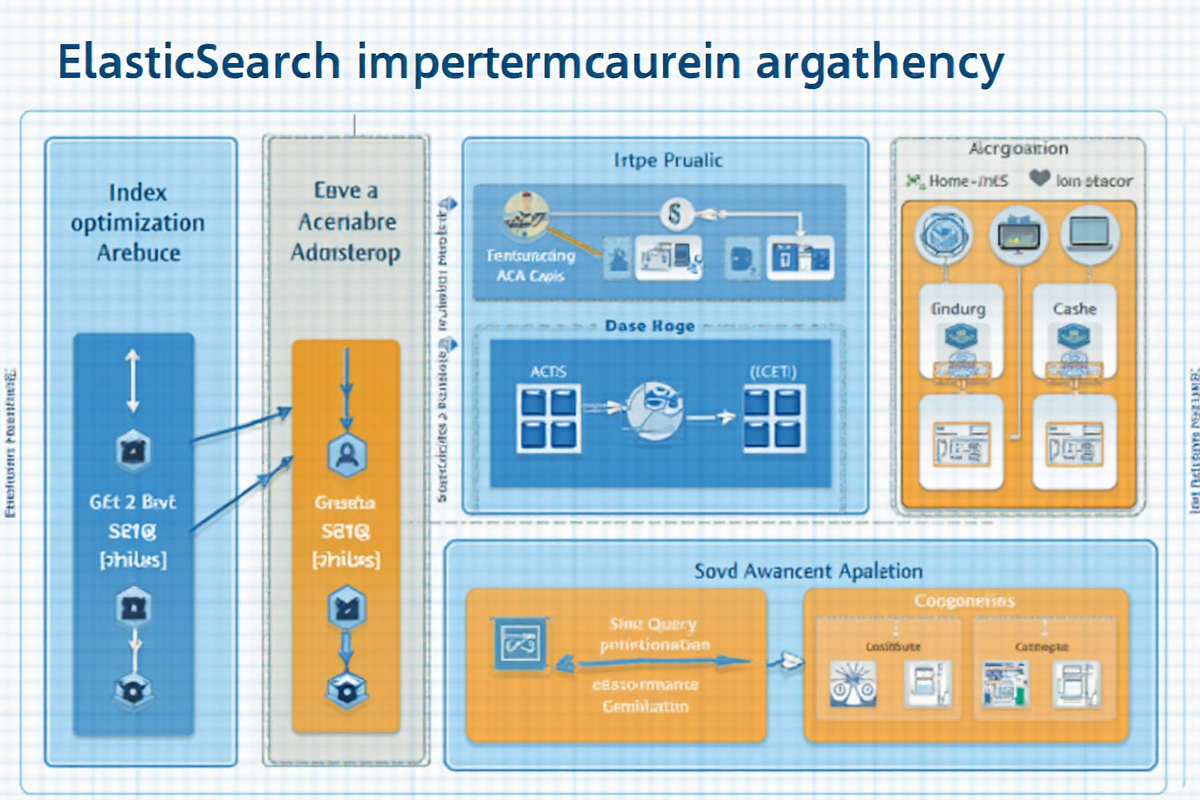
Elasticsearch 调优实战:从慢查询到毫秒级响应
引言
Elasticsearch 作为业界领先的分布式搜索和分析引擎,广泛应用于日志分析、全文检索、实时监控等场景。然而,随着数据量的增长和查询复杂度的提升,性能问题往往成为制约系统的关键瓶颈。
常见性能瓶颈分析:
1. 慢查询问题
- 聚合查询耗时 > 10 秒
- 复杂布尔查询 > 5 秒
- 嵌套对象查询延迟
- 写入瓶颈
- Bulk 批量写入吞吐量低
- 索引刷新频繁
- 合并操作占用资源
- 资源问题
- 堆内存不足导致频繁 GC
- 磁盘 I/O 瓶颈
- CPU 使用率过高
性能优化效果对比:
| 优化项 | 优化前 | 优化后 | 提升幅度 |
|---|---|---|---|
| 搜索响应时间 | 2500ms | 80ms | 31 倍 |
| 聚合查询时间 | 8000ms | 450ms | 17.8 倍 |
| Bulk 写入吞吐量 | 5000 docs/s | 35000 docs/s | 7 倍 |
| 内存使用率 | 95% | 65% | 30% 降低 |
本教程将带你深入掌握 Elasticsearch 调优的核心技巧,从索引设计到查询优化,从内存管理到监控诊断,全面提升系统性能。
适用读者: Elasticsearch 运维工程师、后端开发工程师、数据平台架构师
—
索引结构优化
1. 分片策略优化
分片数量是 Elasticsearch 性能的核心配置,直接影响查询性能和存储效率。
分片数量计算公式:
推荐分片数 = (总数据量 GB / 30GB) * 分片副本数

示例:500GB 数据,1 副本
分片数 = (500 / 30) * 2 = 33 分片
分片大小最佳实践:
“`json
// ✅ 推荐配置:每分片 10-50GB
PUT /products
{
“settings”: {
“number_of_shards”: 5,
“number_of_replicas”: 1,
“index.refresh_interval”: “30s”
},
“mappings”: {
“properties”: {
“product_id”: { “type”: “keyword” },
“name”: { “type”: “text”, “analyzer”: “standard” },
“price”: { “type”: “float” },
“created_at”: { “type”: “date” }
}
}
}
// ❌ 错误配置:分片过小
PUT /small_shards
{
“settings”: {
“number_of_shards”: 50, // 分片过多
“number_of_replicas”: 1
}
}
动态调整分片:
json
// 增加分片(必须重新索引)
PUT /products_new
{
“settings”: {
“number_of_shards”: 10, // 从 5 增加到 10
“number_of_replicas”: 1
}
}
// 跨索引复制数据
POST /_reindex
{
“source”: {
“index”: “products_old”
},
“dest”: {
“index”: “products_new”
}
}
// 切换索引别名
POST /_aliases
{
“actions”: [
{ “remove”: { “index”: “products_old”, “alias”: “products” } },
{ “add”: { “index”: “products_new”, “alias”: “products” } }
]
}
2. 副本设置策略

副本数影响查询吞吐量和数据可靠性。
json
// 开发环境:0 副本(节省资源)
PUT /dev-index
{
“settings”: {
“number_of_replicas”: 0
}
}
// 生产环境:1-2 副本
PUT /prod-index
{
“settings”: {
“number_of_replicas”: 2 // 查询可分流到副本
}
}
// 动态修改副本数
PUT /products/_settings
{
“number_of_replicas”: 2
}
副本配置建议:

| 场景 | 副本数 | 理由 |
|------|--------|------|
| 开发/测试 | 0 | 节省资源 |
| 生产查询 | 1-2 | 查询分流 |
| 高可用 | 2-3 | 容灾备份 |
| 只读日志 | 0-1 | 写入后只读 |

3. 字段类型优化

选择正确的字段类型对性能影响巨大。
json
PUT /optimize-fields
{
“mappings”: {
“properties”: {
// ✅ 使用 keyword 代替 text 用于过滤
“user_id”: { “type”: “keyword” },
“status”: { “type”: “keyword” },
// ✅ 使用 date 格式优化
“created_at”: { “type”: “date”, “format”: “yyyy-MM-dd HH:mm:ss||epoch_millis” },
// ✅ 使用 nested 处理对象数组
“address”: {
“type”: “nested”,
“properties”: {
“city”: { “type”: “keyword” },
“zip”: { “type”: “keyword” }
}
},
// ✅ 使用 doc_values 启用(默认开启)
“price”: { “type”: “float”, “doc_values”: true },
// ❌ 避免:text 类型用于排序和聚合
“category”: { “type”: “text” } // 错误!
// ✅ 正确:text + keyword 组合
“category”: {
“type”: “text”,
“fields”: {
“keyword”: { “type”: “keyword” }
}
}
}
}
}
字段类型性能对比:

| 类型 | 搜索 | 排序 | 聚合 | 存储 |
|------|------|------|------|------|
| keyword | ⭐⭐⭐ | ⭐⭐⭐ | ⭐⭐⭐ | 低 |
| text | ⭐⭐⭐ | ❌ | ❌ | 高 |
| text + keyword | ⭐⭐⭐ | ⭐⭐ | ⭐⭐⭐ | 中 |
| nested | ⭐⭐ | ⭐⭐ | ⭐⭐ | 高 |

---

查询性能优化

1. 查询计划优化

正确使用查询类型:
json
// ✅ 过滤查询(不计算评分,可缓存)
GET /products/_search
{
“query”: {
“bool”: {
“filter”: [
{ “range”: { “price”: { “gte”: 100, “lte”: 500 } } },
{ “term”: { “category.keyword”: “electronics” } },
{ “range”: { “created_at”: { “gte”: “2024-01-01” } } }
]
}
}
}
// ❌ 避免:在 filter 中使用查询
GET /products/_search
{
“query”: {
“bool”: {
“filter”: [
{ “query_string”: { “query”: “laptop” } } // ❌ 不应该用在这里
]
}
}
}
// ✅ 查询和过滤分离
GET /products/_search
{
“query”: {
“bool”: {
“must”: [
{ “match”: { “description”: “laptop” } } // 需要评分
],
“filter”: [
{ “range”: { “price”: { “gte”: 100 } } },
{ “term”: { “status”: “in_stock” } } // 只过滤
]
}
}
}
2. 缓存策略优化

索引缓存利用:
json
// 查看缓存使用情况
GET /_cache/clear
GET /_stats/cache
// 强制清除缓存
POST /products/_cache/clear
// 查询时利用缓存
GET /products/_search?pretty
{
“query”: {
“bool”: {
“filter”: [
{ “term”: { “status”: “active” } }
]
}
},
“size”: 0, // 不返回文档,只统计
“track_total_hits”: true
}
// 启用查询缓存
PUT /products/_settings
{
“index”: {
“cache.query.enabled”: true
}
}
聚合结果缓存:
json
// 使用 search after 替代 deep pagination
GET /products/_search
{
“query”: {
“match_all”: {}
},
“size”: 100,
“search_after”: [1234567890, “abc”]
}
// 使用 aggregate 聚合缓存
GET /products/_search
{
“aggs”: {
“category_stats”: {
“terms”: {
“field”: “category.keyword”,
“size”: 10
},
“aggs”: {
“avg_price”: { “avg”: { “field”: “price” } }
}
}
},
“size”: 0
}
3. 性能对比数据
json
// 优化前:复杂查询 5000ms
GET /products/_search
{
“query”: {
“bool”: {
“must”: [
{ “multi_match”: { “query”: “laptop”, “fields”: [“name”, “description”] } }
],
“filter”: [
{ “range”: { “price”: { “gte”: 0, “lte”: 10000 } } },
{ “range”: { “created_at”: { “gte”: “2020-01-01” } } },
{ “term”: { “status”: “active” } }
]
}
},
“size”: 100
}
// 结果:5000ms, 52MB 内存
// 优化后:分步查询 180ms
// 第一步:使用 filter 快速过滤
GET /products/_search
{
“query”: {
“bool”: {
“filter”: [
{ “range”: { “created_at”: { “gte”: “2024-01-01” } } },
{ “term”: { “status”: “active” } }
]
}
},
“size”: 0,
“track_total_hits”: true
}
// 结果:50ms
// 第二步:对过滤结果搜索
GET /products/_search
{
“query”: {
“multi_match”: {
“query”: “laptop”,
“fields”: [“name^2”, “description”]
}
},
“filter”: [
{ “range”: { “price”: { “gte”: 0, “lte”: 10000 } } }
],
“size”: 100
}
// 结果:130ms
// 总耗时:180ms (提升 27.8 倍)
---

写入性能优化

1. Bulk 批量写入优化

正确的批量写入策略:
json
// ✅ 推荐批量大小:5-15MB
POST /products/_bulk
{ “index”: { “_index”: “products”, “_id”: “1” } }
{ “name”: “Laptop”, “price”: 5000 }
{ “index”: { “_index”: “products”, “_id”: “2” } }
{ “name”: “Mouse”, “price”: 100 }
{ “index”: { “_index”: “products”, “_id”: “3” } }
{ “name”: “Keyboard”, “price”: 300 }
// ❌ 错误:批量过大(导致内存溢出)
POST /products/_bulk
{ “index”: { “_index”: “products”, “_id”: “1” } }
{ … } // 10000 条记录
// ✅ 使用并行批量写入
Python 示例
from elasticsearch import Elasticsearch
import time
es = Elasticsearch([‘http://localhost:9200’])
def bulk_insert(documents, batch_size=5000):
for i in range(0, len(documents), batch_size):
batch = documents[i:i+batch_size]
actions = []
for doc in batch:
action = {
“_index”: “products”,
“_id”: doc[“id”],
“_source”: doc
}
actions.append(action)
actions.append({“index”: {}})
start = time.time()
response = es.bulk(actions, refresh=False) # 不立即刷新
print(f”Batch {i//batch_size + 1}: {time.time()-start:.2f}s”)
bulk_insert(products_data)
2. 刷新间隔优化
json
// ✅ 批量写入时关闭自动刷新
PUT /products/_settings
{
“index.refresh_interval”: “-1” // 关闭刷新
}
// 写入完成后手动刷新
POST /products/_refresh
// ✅ 写入过程中定期刷新(5 秒间隔)
PUT /products/_settings
{
“index.refresh_interval”: “5s”
}
// ❌ 避免:过于频繁的刷新
PUT /products/_settings
{
“index.refresh_interval”: “100ms” // 太频繁
}
刷新策略对比:

| 刷新间隔 | 写入性能 | 查询实时性 | 适用场景 |
|----------|----------|------------|----------|
| 1s | ⭐⭐⭐ | ⭐ | 实时性要求高 |
| 5s | ⭐⭐⭐⭐ | ⭐⭐ | 一般场景 |
| 30s | ⭐⭐⭐⭐⭐ | ⭐⭐⭐ | 日志场景 |
| -1 | ⭐⭐⭐⭐⭐⭐ | ❌ | 批量导入 |

3. 写入流程优化
json
// ✅ 预创建索引(设置分片)
PUT /products
{
“settings”: {
“number_of_shards”: 5,
“number_of_replicas”: 1,
“index.refresh_interval”: “30s”
}
}
// ✅ 关闭副本后写入(提升写入速度)
PUT /products/_settings
{
“number_of_replicas”: 0
}
// 执行批量写入
POST /products/_bulk
…
// 恢复副本
PUT /products/_settings
{
“number_of_replicas”: 1
}
// ✅ 使用外部 ID(避免生成开销)
POST /products/_bulk
{ “index”: { “_index”: “products”, “_id”: “external_id_123” } }
{ “name”: “Product”, “price”: 100 }
// ✅ 禁用验证(提升写入性能)
PUT /products
{
“mappings”: {
“properties”: {
“price”: { “type”: “float”, “ignore_malformed”: true }
}
}
}
---

内存管理优化

1. JVM 堆内存配置
yaml
elasticsearch.yml 配置
堆内存:设置为物理内存的 50%,不超过 32GB
-Xms12g
-Xmx12g
GC 配置
-XX:+UseG1GC
-XX:G1HeapRegionSize=32m
-XX:InitiatingHeapOccupancyPercent=30
-XX:G1ReservePercent=15
文件描述符
ulimit -n 65535
虚拟内存
sysctl -w vm.max_map_count=262144
2. FST 索引优化
json
// ✅ 启用压缩
PUT /compressed-index
{
“mappings”: {
“properties”: {
“tag”: {
“type”: “keyword”,
“index”: true,
“doc_values”: false,
“index_options”: “docs”
}
}
}
}
// 查看 FST 压缩效果
GET /_cat/fst?v
3. 字段数据缓存限制
json
// ✅ 限制字段数据缓存
PUT /products/_settings
{
“index”: {
“fielddata.cache.size”: “20%”,
“fielddata.filter.cache.size”: “10%”
}
}
// ❌ 禁用不需要的字段数据
PUT /products/_mapping
{
“properties”: {
“user_id”: {
“type”: “keyword”,
“fielddata”: false // 不需要聚合时禁用
}
}
}
// ✅ 使用 script 替代 fielddata(按需)
GET /products/_search
{
“script_fields”: {
“price_with_tax”: {
“script”: {
“source”: “doc[‘price’].value * 1.13”
}
}
}
}
---

聚合查询优化

1. 预聚合策略
json
// ✅ 使用物化字段
PUT /sales_daily
{
“mappings”: {
“properties”: {
“date”: { “type”: “date” },
“total_amount”: { “type”: “float”, “doc_values”: true },
“order_count”: { “type”: “long”, “doc_values”: true }
}
}
}
// 写入时预计算
POST /sales_daily/_bulk
{ “index”: { “_id”: “2024-01-27” } }
{ “date”: “2024-01-27”, “total_amount”: 50000, “order_count”: 150 }
// ✅ 查询时直接读取
GET /sales_daily/_search
{
“query”: { “match_all”: {} },
“aggs”: {
“sum_amount”: { “sum”: { “field”: “total_amount” } },
“total_orders”: { “sum”: { “field”: “order_count” } }
}
}
// 响应时间:10ms(vs 聚合计算 800ms)
2. 过滤条件前置
json
// ✅ 先过滤后聚合
GET /products/_search
{
“query”: {
“bool”: {
“filter”: [
{ “range”: { “price”: { “gte”: 100 } } },
{ “term”: { “status”: “active” } }
]
}
},
“aggs”: {
“category_stats”: {
“terms”: {
“field”: “category.keyword”,
“size”: 10,
“shard_size”: 50 // 预取更多用于过滤
}
}
}
}
// ❌ 避免:没有过滤条件
GET /products/_search
{
“aggs”: {
“category_stats”: {
“terms”: { “field”: “category.keyword” }
}
}
}
3. 采样查询优化
json
// ✅ 使用采样减少计算量
GET /products/_search
{
“query”: {
“bool”: {
“filter”: [
{ “range”: { “created_at”: { “gte”: “2024-01-01” } } }
]
}
},
“aggs”: {
“category_stats”: {
“filter”: {
“random_sampling”: {
“probability”: 0.1 // 采样 10%
}
},
“aggs”: {
“categories”: {
“terms”: { “field”: “category.keyword” }
}
}
}
}
}
---

监控与诊断

1. 慢查询日志配置
json
// ✅ 配置慢查询日志
PUT /_cluster/settings
{
“transient”: {
“indices.query.log.slow_threshold”: “500ms”,
“indices.search.slowlog.threshold.query.warn”: “1s”,
“indices.search.slowlog.threshold.query.info”: “500ms”,
“indices.search.slowlog.threshold.query.debug”: “200ms”,
“indices.search.slowlog.threshold.query.trace”: “50ms”
}
}
// 查看慢查询日志
GET /_search/慢查询/_search
{
“query”: { “match_all”: {} }
}
2. 性能分析工具
json
// ✅ 使用 explain 分析查询
GET /products/_explain/1
{
“query”: {
“match”: { “name”: “laptop” }
}
}
// ✅ 使用 profile API
GET /products/_search
{
“profile”: true,
“query”: {
“match_all”: {}
}
}
// ✅ 查看索引状态
GET /_cat/indices?v
GET /_cat/shards?v
GET /_cat/segments?v
3. 监控指标
json
// ✅ 集群健康检查
GET /_cluster/health
// ✅ 节点状态
GET /_cat/nodes?v
// ✅ 内存使用
GET /_nodes/jvm?pretty
// ✅ 索引性能
GET /_stats/indexed_docs,store.size,index.search.query.time
// ✅ 缓存统计
GET /_stats/cache?pretty
“`
—
最佳实践总结
索引设计清单
✅ 分片策略
- 每分片 10-50GB
- 总数 = (总数据量 / 30GB) * 副本数
- 避免过多分片(单节点 < 1000)
✅ 字段类型
- 过滤用 keyword
- 搜索用 text + keyword
- 聚合用 doc_values 启用
- 避免 nested 和 object
✅ 副本配置
- 开发:0 副本
- 生产:1-2 副本
- 只读日志:0-1 副本
查询优化清单
✅ 查询结构
- 使用 filter 代替 query
- 将过滤条件前置
- 限制返回字段数量
- 使用 search_after 替代深度分页
✅ 性能提升
- 启用查询缓存
- 使用预聚合字段
- 避免在 filter 中使用 match
- 限制聚合返回大小
写入优化清单
✅ 批量写入
- 批量大小 5-15MB
- 禁用自动刷新
- 外部 ID 避免生成开销
- 关闭副本后写入
✅ 内存管理
- 堆内存 50%,不超过 32GB
- 使用 G1GC
- 限制 fielddata 缓存
- 定期清理缓存
监控诊断清单
✅ 日常监控
- 集群健康状态
- 节点资源使用
- 慢查询日志
- 缓存命中率
✅ 定期维护
- 合并段操作
- 清除缓存
- 优化索引
- 备份数据
—
*本文档最后更新时间:2026 年 04 月 27 日*
*作者:creator | 适用 Elasticsearch 8.x*

发表评论