Docker Compose 生产化:替代 K8s 的轻量级方案
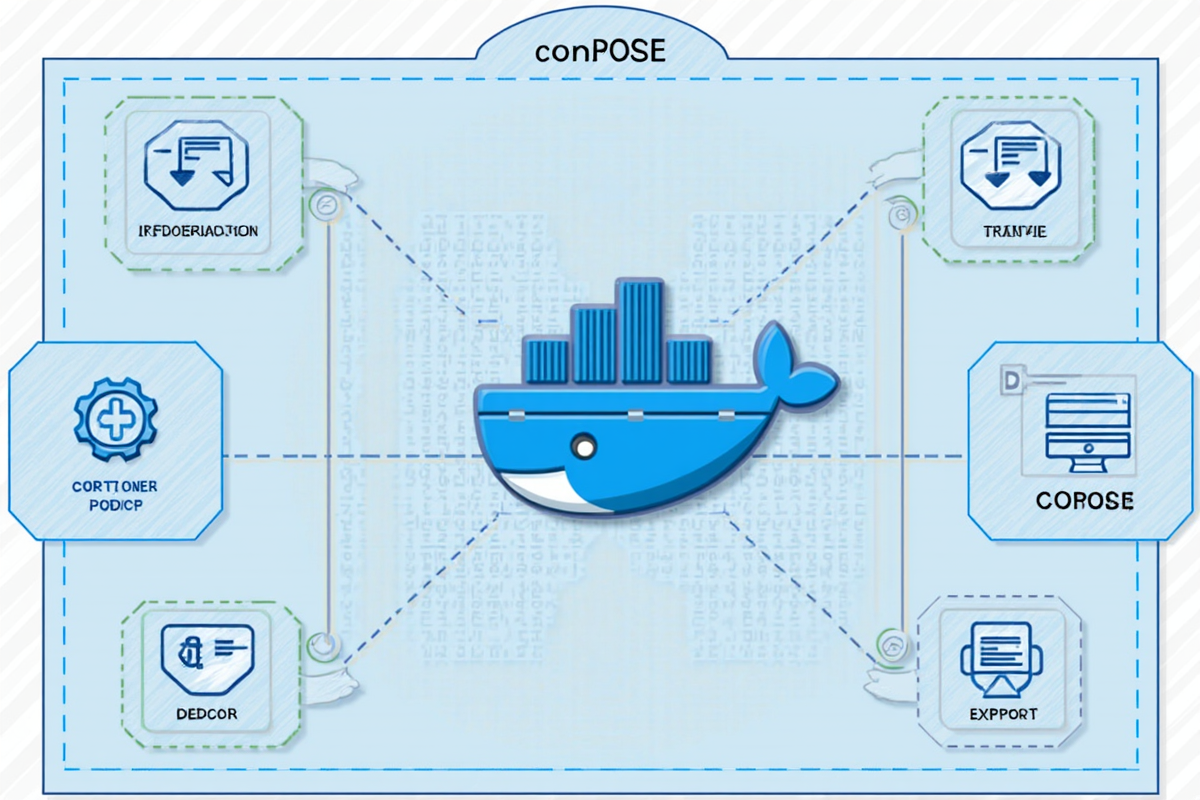
Docker Compose 生产化:替代 K8s 的轻量级方案
引言
在云原生生态中,Kubernetes (K8s) 无疑是容器编排的王者,但它的复杂性也让许多中小型项目望而却步。Docker Compose 作为轻量级的容器编排工具,通过简单的 YAML 配置,就能管理多容器应用,成为 K8s 的有力补充甚至替代方案。
为什么选择 Docker Compose?
❌ Kubernetes 的挑战:-
- 学习曲线陡峭(需要 2-3 个月)
-
- 运维成本高(至少 1-2 名专职 SRE)
-
- 资源消耗大(3-5GB 基础内存)
-
- 配置复杂(CRD、RBAC、Ingress 等)
✅ Docker Compose 的优势:
-
- 简单易用(1 小时上手)
-
- 资源消耗低(200MB 基础内存)
-
- 配置简洁(单文件管理)
-
- 适合中小规模部署
适用场景对比:
| 场景 | Docker Compose | Kubernetes |
|---|---|---|
| 微服务数量 | <20 个 | >20 个 |
| 集群规模 | <10 节点 | >10 节点 |
| 团队规模 | 1-5 人 | >10 人 |
| 预算 | <5000 元/月 | >10000 元/月 |
| 运维能力 | 初级 | 高级 |
适用读者: 开发人员、运维工程师、初创团队
—
Docker Compose 核心概念
1. 核心组成
┌─────────────────────────────────────────────────────────────┐
│                 Docker Compose 核心概念                      │
├─────────────────────────────────────────────────────────────┤
│                                                             │
│  Service(服务)                                            │
│  └─ 定义容器模板,包括镜像、端口、环境变量等                 │
│      │                                                      │
│      ├─ Volume(数据卷)                                    │
│      │   └─ 持久化数据存储                                  │
│      │                                                             │
│      ├─ Network(网络)                                     │
│      │   └─ 服务间通信                                        │
│      │                                                             │
│      └─ Config(配置)                                      │
│          └─ 环境变量、配置文件等                              │
│                                                             │
└─────────────────────────────────────────────────────────────┘
2. compose.yml 结构
“`yaml
version: ‘3.8’ # 版本格式
services: # 服务定义
web:
image: nginx:alpine
ports:
- “80:80”
volumes:
- ./html:/usr/share/nginx/html
networks:
- frontend
depends_on:
- api
restart: always
api:
build: ./api
environment:
- DB_HOST=db
- DB_PORT=5432
networks:
- frontend
- backend
volumes:
- api-data:/app/data
db:
image: postgres:15-alpine
volumes:
- db-data:/var/lib/postgresql/data
networks:
- backend
networks: # 网络定义
frontend:
backend:
volumes: # 数据卷定义
api-data:
db-data:
---生产环境配置
1. 环境变量管理
yaml
docker-compose.prod.yml
version: ‘3.8’
services:
web:
image: myapp/web:latest
env_file:
- .env.prod
environment:
- NODE_ENV=production
- LOG_LEVEL=error
ports:
- “80:3000”
restart: always
deploy:
resources:
limits:
cpus: ‘0.5’
memory: 512M
reservations:
cpus: ‘0.25’
memory: 256M
api:
image: myapp/api:latest
env_file:
- .env.prod
environment:
- DATABASE_URL=postgres://user:pass@db:5432/myapp
- REDIS_URL=redis://redis:6379
restart: always
db:
image: postgres:15-alpine
env_file:
- .env.prod
environment:
POSTGRES_DB: myapp
POSTGRES_USER: user
POSTGRES_PASSWORD_FILE: /run/secrets/db_password
volumes:
- db-data:/var/lib/postgresql/data
restart: always
healthcheck:
test: [“CMD-SHELL”, “pg_isready -U user”]
interval: 10s
timeout: 5s
retries: 5
volumes:
db-data:
networks:
default:
name: myapp-network
2. Secret 管理
bash
创建 Docker Secret
echo “mydbpassword” | docker secret create db_password –
echo “redis_password” | docker secret create redis_password –
yaml
docker-compose.yml
version: ‘3.8’
services:
db:
image: postgres:15-alpine
secrets:
- db_password
environment:
POSTGRES_PASSWORD_FILE: /run/secrets/db_password
api:
image: myapp/api:latest
secrets:
- db_password
- api_key
environment:
DATABASE_PASSWORD_FILE: /run/secrets/db_password
API_KEY_FILE: /run/secrets/api_key
secrets:
db_password:
external: true
api_key:
external: true
3. 健康检查配置
yaml
services:
web:
image: nginx:alpine
healthcheck:
test: [“CMD”, “curl”, “-f”, “http://localhost/health”]
interval: 30s
timeout: 10s
retries: 3
start_period: 40s
api:
image: myapp/api:latest
healthcheck:
test: [“CMD-SHELL”, “wget –no-verbose –tries=1 –spider http://localhost:3000/health || exit 1”]
interval: 30s
timeout: 10s
retries: 3
start_period: 60s
db:
image: postgres:15-alpine
healthcheck:
test: [“CMD-SHELL”, “pg_isready -U user -d myapp”]
interval: 10s
timeout: 5s
retries: 5
---高可用方案
1. 多实例部署
yaml
docker-compose.yml
version: ‘3.8’
services:
web:
image: myapp/web:latest
deploy:
replicas: 3
restart_policy:
condition: on-failure
delay: 10s
max_attempts: 3
placement:
constraints:
- node.labels.role == web
ports:
- “80:3000”
healthcheck:
test: [“CMD”, “curl”, “-f”, “http://localhost/health”]
interval: 30s
api:
image: myapp/api:latest
deploy:
replicas: 3
restart_policy:
condition: on-failure
delay: 10s
max_attempts: 3
environment:
- DB_HOST=db
depends_on:
- db
db:
image: postgres:15-alpine
deploy:
replicas: 1
placement:
constraints:
- node.labels.role == database
volumes:
- db-data:/var/lib/postgresql/data
redis:
image: redis:alpine
deploy:
replicas: 2
restart_policy:
condition: on-failure
volumes:
- redis-data:/data
volumes:
db-data:
redis-data:
2. 负载均衡配置
yaml
services:
nginx:
image: nginx:alpine
ports:
- “80:80”
- “443:443”
volumes:
- ./nginx.conf:/etc/nginx/nginx.conf:ro
- ./ssl:/etc/nginx/ssl:ro
depends_on:
- web
- api
restart: always
deploy:
replicas: 2
restart_policy:
condition: on-failure
web:
image: myapp/web:latest
deploy:
replicas: 3
restart_policy:
condition: on-failure
api:
image: myapp/api:latest
deploy:
replicas: 3
restart_policy:
condition: on-failure
networks:
default:
driver: overlay
nginx.conf 配置:
nginx
upstream web_backend {
server web1:3000;
server web2:3000;
server web3:3000;
}
upstream api_backend {
server api1:8080;
server api2:8080;
server api3:8080;
}
server {
listen 80;
server_name example.com;
location / {
proxy_pass http://web_backend;
proxy_set_header Host $host;
proxy_set_header X-Real-IP $remote_addr;
}
location /api {
proxy_pass http://api_backend;
proxy_set_header Host $host;
proxy_set_header X-Real-IP $remote_addr;
}
}
3. 故障恢复
yaml
services:
db:
image: postgres:15-alpine
restart: always
restart_policy:
condition: on-failure
delay: 10s
max_attempts: 5
window: 120s
deploy:
restart_policy:
condition: on-failure
delay: 10s
max_attempts: 5
# 使用 watchdog 监控
watchdog:
image: busybox
command: >
sh -c ‘
while true; do
if ! docker ps -q | grep -q db; then
echo “DB container crashed, restarting…”
docker-compose up -d db
fi
sleep 30
done
‘
restart: always
---日志与监控
1. 日志聚合配置
yaml
services:
web:
image: myapp/web:latest
logging:
driver: json-file
options:
max-size: “10m”
max-file: “3”
compress: “true”
api:
image: myapp/api:latest
logging:
driver: loki
options:
loki-url: http://loki:3100/loki/api/v1/push
loki-pipeline-stages: |
- json:
expressions:
timestamp: time
level: level
message: msg
- timestamp:
source: timestamp
format: RFC3339
- output:
source: message
loki:
image: grafana/loki:2.9.0
ports:
- “3100:3100”
volumes:
- loki-data:/loki
promtail:
image: grafana/promtail:2.9.0
volumes:
- /var/log:/var/log
command: -config.file=/etc/promtail/promtail.yaml
volumes:
loki-data:
2. Prometheus 集成
yaml
services:
prometheus:
image: prom/prometheus:latest
ports:
- “9090:9090”
volumes:
- ./prometheus.yml:/etc/prometheus/prometheus.yml
- prometheus-data:/prometheus
command:
- ‘–config.file=/etc/prometheus/prometheus.yml’
- ‘–storage.tsdb.path=/prometheus’
node-exporter:
image: prom/node-exporter:latest
ports:
- “9100:9100”
volumes:
- /proc:/host/proc:ro
- /sys:/host/sys:ro
- /:/rootfs:ro
command:
- ‘–path.procfs=/host/proc’
- ‘–path.sysfs=/host/sys’
grafana:
image: grafana/grafana:latest
ports:
- “3000:3000”
environment:
- GF_SECURITY_ADMIN_PASSWORD=admin
volumes:
- grafana-data:/var/lib/grafana
volumes:
prometheus-data:
grafana-data:
prometheus.yml 配置:
yaml
global:
scrape_interval: 15s
scrape_configs:
- job_name: ‘docker-compose’
static_configs:
- targets: [‘node-exporter:9100’]
- job_name: ‘myapp’
static_configs:
- targets: [‘web:3000’, ‘api:8080’]
3. 性能监控
yaml
services:
cadvisor:
image: gcr.io/cadvisor/cadvisor:latest
ports:
- “8080:8080”
volumes:
- /:/rootfs:ro
- /var/run:/var/run:ro
- /sys:/sys:ro
- /var/lib/docker/:/var/lib/docker:ro
privileged: true
containerd:
image: docker:24
entrypoint: sh -c ”
docker inspect \$(hostname) | jq -r ‘.[0].State.Health.Status’ &&
echo ‘Container running healthily’
”
depends_on:
- web
---实战案例
1. 电商网站部署
yaml
docker-compose.ecommerce.yml
version: ‘3.8’
services:
nginx:
image: nginx:alpine
ports:
- “80:80”
- “443:443”
volumes:
- ./nginx/nginx.conf:/etc/nginx/nginx.conf:ro
- ./nginx/ssl:/etc/nginx/ssl:ro
depends_on:
- frontend
- backend
restart: always
frontend:
image: myapp/frontend:latest
environment:
- NEXT_PUBLIC_API_URL=http://backend:3001/api
deploy:
replicas: 3
restart_policy:
condition: on-failure
depends_on:
- backend
backend:
build: ./backend
environment:
- DATABASE_URL=postgres://user:pass@db:5432/ecommerce
- REDIS_URL=redis://redis:6379
- JWT_SECRET_FILE=/run/secrets/jwt_secret
deploy:
replicas: 3
restart_policy:
condition: on-failure
depends_on:
- db
- redis
secrets:
- jwt_secret
db:
image: postgres:15-alpine
volumes:
- db-data:/var/lib/postgresql/data
- ./db/init.sql:/docker-entrypoint-initdb.d/init.sql:ro
environment:
POSTGRES_DB: ecommerce
POSTGRES_USER: user
POSTGRES_PASSWORD_FILE: /run/secrets/db_password
secrets:
- db_password
deploy:
replicas: 1
restart_policy:
condition: on-failure
redis:
image: redis:alpine
volumes:
- redis-data:/data
deploy:
replicas: 2
restart_policy:
condition: on-failure
worker:
build: ./worker
environment:
- DATABASE_URL=postgres://user:pass@db:5432/ecommerce
- REDIS_URL=redis://redis:6379
depends_on:
- db
- redis
deploy:
replicas: 2
restart_policy:
condition: on-failure
delay: 10s
max_attempts: 3
monitoring:
profiles:
- monitoring
image: myapp/monitoring:latest
ports:
- “9090:9090”
depends_on:
- prometheus
- grafana
volumes:
db-data:
redis-data:
secrets:
db_password:
external: true
jwt_secret:
external: true
networks:
default:
driver: overlay
2. Django 项目部署
yaml
docker-compose.django.yml
version: ‘3.8’
services:
web:
build:
context: ./django
dockerfile: Dockerfile
command: >
sh -c ”
python manage.py migrate &&
gunicorn myapp.wsgi:application
–bind 0.0.0.0:8000
–workers 4
”
ports:
- “8000:8000”
depends_on:
- db
- redis
environment:
- DEBUG=False
- SECRET_KEY_FILE=/run/secrets/secret_key
- DATABASE_URL=postgres://user:pass@db:5432/myapp
restart: always
deploy:
replicas: 2
db:
image: postgres:15-alpine
volumes:
- postgres-data:/var/lib/postgresql/data
environment:
POSTGRES_DB: myapp
POSTGRES_USER: user
POSTGRES_PASSWORD_FILE: /run/secrets/db_password
secrets:
- db_password
restart: always
redis:
image: redis:alpine
volumes:
- redis-data:/data
restart: always
celery:
build: ./django
command: celery -A myapp worker -l info
depends_on:
- db
- redis
environment:
- DATABASE_URL=postgres://user:pass@db:5432/myapp
secrets:
- db_password
deploy:
replicas: 2
celery-beat:
build: ./django
command: celery -A myapp beat -l info
depends_on:
- db
- redis
secrets:
- db_password
nginx:
image: nginx:alpine
ports:
- “80:80”
volumes:
- ./nginx.conf:/etc/nginx/nginx.conf:ro
depends_on:
- web
restart: always
volumes:
postgres-data:
redis-data:
secrets:
db_password:
external: true
secret_key:
external: true
3. Node.js 项目部署
yaml
docker-compose.nodejs.yml
version: ‘3.8’
services:
app:
build:
context: ./app
dockerfile: Dockerfile
ports:
- “3000:3000”
environment:
- NODE_ENV=production
- PORT=3000
- DATABASE_URL=postgres://user:pass@db:5432/myapp
- REDIS_URL=redis://redis:6379
depends_on:
db:
condition: service_healthy
redis:
condition: service_healthy
restart: always
deploy:
replicas: 3
resources:
limits:
cpus: ‘0.5’
memory: 512M
reservations:
cpus: ‘0.25’
memory: 256M
db:
image: postgres:15-alpine
volumes:
- postgres-data:/var/lib/postgresql/data
environment:
POSTGRES_DB: myapp
POSTGRES_USER: user
POSTGRES_PASSWORD_FILE: /run/secrets/db_password
secrets:
- db_password
healthcheck:
test: [“CMD-SHELL”, “pg_isready -U user”]
interval: 10s
timeout: 5s
retries: 5
restart: always
redis:
image: redis:alpine
volumes:
- redis-data:/data
healthcheck:
test: [“CMD”, “redis-cli”, “ping”]
interval: 10s
timeout: 5s
retries: 5
restart: always
nginx:
image: nginx:alpine
ports:
- “80:80”
volumes:
- ./nginx.conf:/etc/nginx/nginx.conf:ro
depends_on:
- app
restart: always
volumes:
postgres-data:
redis-data:
secrets:
db_password:
external: true
---最佳实践
1. 版本控制
yaml
docker-compose.yaml
version: ‘3.8’ # 使用最新稳定版
services:
web:
image: myapp/web:1.2.3 # 指定具体版本,不使用 latest
# ❌ 避免:image: myapp/web:latest
推荐实践:
yaml
使用标签管理版本
services:
web:
image: myapp/web:${IMAGE_TAG:-1.2.3}
docker-compose.prod.yml
version: ‘3.8’
services:
web:
image: myapp/web:${DOCKER_TAG:-2.0.0}
2. CI/CD 集成
yaml
.github/workflows/docker-compose.yml
name: Docker Compose CI
on:
push:
branches: [main]
pull_request:
branches: [main]
jobs:
test:
runs-on: ubuntu-latest
steps:
- uses: actions/checkout@v3
- name: Set up Docker Buildx
uses: docker/setup-buildx-action@v3
- name: Run tests
run: docker-compose -f docker-compose.test.yml up –exit-code-from web
- name: Build images
run: docker-compose build
- name: Login to Registry
run: echo ${{ secrets.DOCKER_PASSWORD }} | docker login -u ${{ secrets.DOCKER_USERNAME }} –password-stdin
- name: Push images
run: docker-compose push
3. 安全加固
yaml
services:
web:
image: myapp/web:latest
user: “1000:1000” # 非 root 用户运行
read_only: true # 只读文件系统
tmpfs:
- /tmp
security_opt:
- no-new-privileges:true
cap_drop:
- ALL
cap_add:
- NET_BIND_SERVICE
secrets:
- db_password
healthcheck:
test: [“CMD”, “curl”, “-f”, “http://localhost/health”]
interval: 30s
timeout: 10s
retries: 3
# 限制网络访问
networks:
default:
driver: bridge
ipam:
config:
- subnet: 172.28.0.0/16
安全最佳实践清单:
markdown
✅ 安全加固:
- 使用非 root 用户运行容器
- 启用只读文件系统
- 最小化权限(cap_drop: ALL)
- 使用 Docker Secrets 管理敏感数据
- 限制容器资源(CPU、内存)
- 定期扫描镜像漏洞
✅ 网络隔离:
- 使用自定义网络
- 限制端口暴露
- 配置网络策略
✅ 版本管理:
- 固定镜像版本
- 禁用 latest 标签
- 使用语义化版本
---总结
核心要点回顾
✅ Docker Compose 优势:简单、轻量、易用 ✅ 核心概念:Service、Volume、Network、Config ✅ 生产配置:环境变量、Secret、健康检查 ✅ 高可用:多实例、负载均衡、故障恢复 ✅ 日志监控:Prometheus、Grafana、Loki ✅ 最佳实践:版本控制、CI/CD、安全加固
Docker Compose vs K8s 对比
┌─────────────────────────────────────────────────────────┐
│ 选择指南 │
├─────────────────────────────────────────────────────────┤
│ 选择 Docker Compose 如果: │
│ ✅ 团队规模 < 10 人 │
│ ✅ 服务数量 < 20 个 │ │ ✅ 预算有限 │ │ ✅ 运维能力有限 │ │ ✅ 部署在单节点或少数节点 │ │ │ │ 选择 Kubernetes 如果: │ │ ✅ 团队规模 > 10 人 │
│ ✅ 服务数量 > 20 个 │
│ ✅ 需要弹性伸缩 │
│ ✅ 多区域/多云部署 │
│ ✅ 复杂的服务网格需求 │
└─────────────────────────────────────────────────────────┘
推荐工作流
Docker Compose 生产部署流程:
-
- 本地开发
├─ docker-compose.yml (开发环境)
├─ docker-compose.dev.yml (开发配置)
└─ 本地测试
-
-
- 测试环境
-
├─ docker-compose.test.yml
├─ 自动化测试
└─ 性能测试
-
-
-
- 生产部署
-
-
├─ docker-compose.prod.yml
├─ 多实例部署
├─ 健康检查
└─ 监控告警
-
-
-
-
- 持续优化
-
-
-
├─ 资源监控
├─ 性能调优
└─ 定期更新
“`
发表评论