Jenkins 流水线即代码:Declarative Pipeline 最佳实践
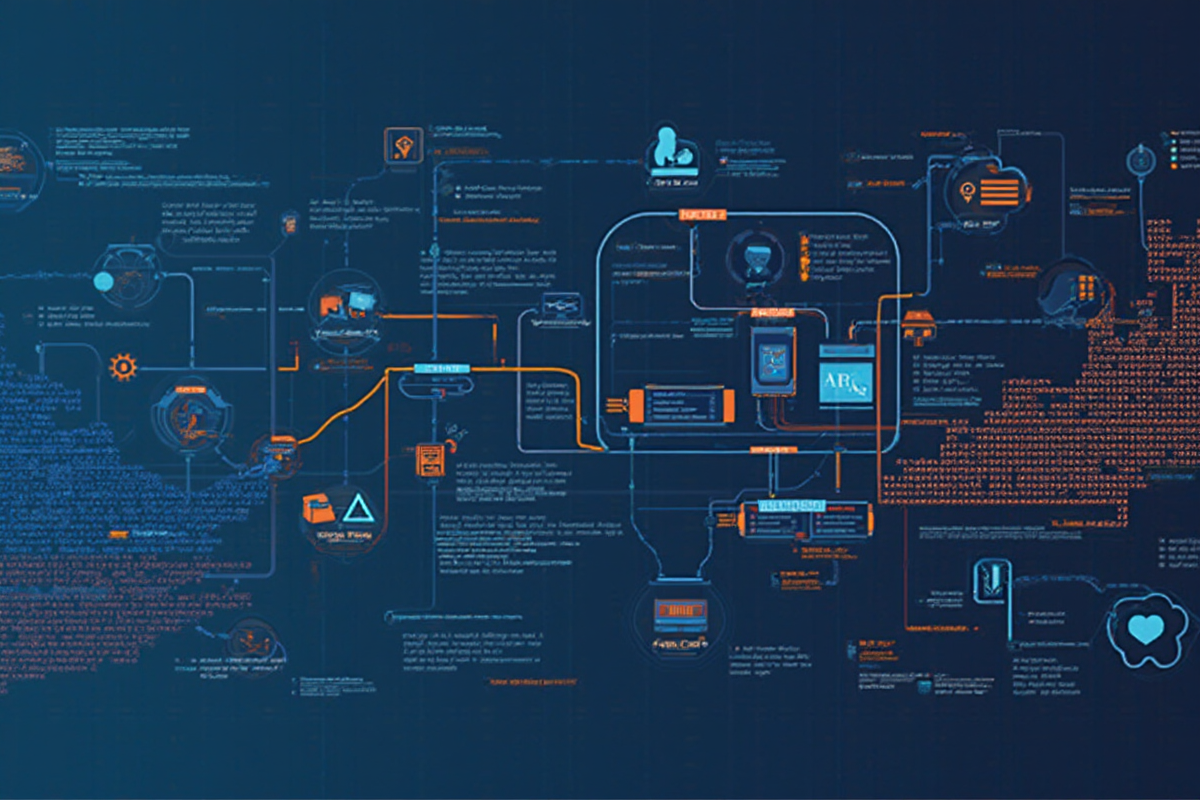
Jenkins 流水线即代码:Declarative Pipeline 最佳实践
Declarative Pipeline 基本概念
在 DevOps 实践中,流水线即代码(Pipeline as Code) 已成为持续集成和持续交付的核心实践。Declarative Pipeline 是 Jenkins Pipeline 的高级语法,提供了更结构化和易读的方式来定义构建流程。
Pipeline 类型对比:
Classic Pipeline (Scripted Pipeline)
- 使用 Groovy 脚本
- 灵活但复杂
- 需要深厚的 Groovy 知识
- 适合复杂逻辑
Declarative Pipeline
- 结构化语法
- 直观易读
- 内置错误处理
- 适合大多数 CI/CD 场景
Declarative Pipeline 优势:
- 标准化语法,易于团队协作
- 内置错误处理和恢复机制
- 支持并行执行和条件分支
- 与 Jenkins Blue Ocean 完美集成
- 丰富的插件支持
—
语法结构与核心组件
1. 基础语法结构
“`groovy
pipeline {
agent any
environment {
VERSION = ‘1.0.0’
BUILD_DIR = “build/v${VERSION}”
}
options {
timeout(time: 1, unit: ‘HOURS’)
timestamps()
disableConcurrentBuilds()
retry(3)
}
stages {
stage(‘Build’) {
steps {
sh ‘mvn clean package’
}
}
stage(‘Test’) {
steps {
sh ‘mvn test’
}
}
stage(‘Deploy’) {
steps {
sh ‘mvn deploy’
}
}
}
post {
always {
echo ‘Pipeline 完成’
}
success {
echo ‘构建成功’
}
failure {
error ‘构建失败’
}
}
}
2. 核心组件详解

agent 定义:
groovy
pipeline {
agent none // 在 stage 级别定义 agent
stages {
stage(‘Build’) {
agent {
docker {
image ‘maven:3.8-openjdk-11’
}
}
steps {
sh ‘mvn clean package’
}
}
stage(‘Deploy’) {
agent {
label ‘linux’
}
steps {
sh ‘kubectl apply -f k8s/’
}
}
}
}
environment 环境变量:
groovy
pipeline {
agent any
environment {
// 简单赋值
APP_NAME = ‘myapp’
// 命令输出
BUILD_ID = sh(script: ‘git rev-parse –short HEAD’, returnStdout: true).trim()
// 从 credentials 读取
DB_PASSWORD = credentials(‘db-password’)
API_KEY = credentials(‘api-key’)
}
stages {
stage(‘Build’) {
steps {
sh ‘echo ${APP_NAME}’
sh ‘echo ${BUILD_ID}’
}
}
}
}
stages 和 steps:
groovy
pipeline {
agent any
stages {
stage(‘准备’) {
steps {
checkout scm
sh ‘npm ci’
}
}
stage(‘构建’) {
parallel {
stage(‘前端’) {
steps {
sh ‘cd frontend && npm run build’
}
}
stage(‘后端’) {
steps {
sh ‘cd backend && npm run build’
}
}
}
}
stage(‘测试’) {
steps {
sh ‘npm test — –coverage’
junit ‘test-results/**/*.xml’
}
}
stage(‘部署’) {
when {
branch ‘main’
}
steps {
sh ‘kubectl apply -f k8s/’
}
}
}
}
---

常见最佳实践

1. 错误处理策略
groovy
pipeline {
agent any
options {
timeout(time: 1, unit: ‘HOURS’)
retry(2)
}
stages {
stage(‘Build’) {
steps {
script {
try {
sh ‘npm ci’
sh ‘npm run build’
} catch (Exception e) {
currentBuild.result = ‘UNSTABLE’
echo “构建失败:${e.message}”
}
}
}
}
stage(‘Test’) {
steps {
sh ‘npm test’ || error(‘测试失败,中止部署’)
}
}
}
post {
always {
cleanWs()
}
success {
emailext(
subject: “✅ 构建成功:${env.JOB_NAME} #${env.BUILD_NUMBER}”,
body: “构建在 ${env.BUILD_URL} 成功完成”,
to: ‘dev-team@company.com’,
recipientProviders: [developers(), requestor()]
)
}
failure {
emailext(
subject: “❌ 构建失败:${env.JOB_NAME} #${env.BUILD_NUMBER}”,
body: “失败原因:${env.BUILD_URL}”,
to: ‘dev-team@company.com’,
recipientProviders: [developers(), requestor(), culprits()]
)
}
}
}
2. 并行执行优化
groovy
pipeline {
agent any
stages {
stage(‘构建’) {
parallel {
stage(‘前端构建’) {
steps {
script {
timeout(time: 10, unit: ‘MINUTES’) {
sh ‘cd frontend && npm ci && npm run build’
}
}
}
}
stage(‘后端构建’) {
steps {
sh ‘cd backend && npm ci && npm run build’
}
}
stage(‘测试’) {
parallel {
stage(‘单元测试’) {
steps {
sh ‘npm test — –coverage’
}
}
stage(‘集成测试’) {
steps {
sh ‘npm run test:integration’
}
}
}
}
}
}
stage(‘部署’) {
steps {
sh ‘kubectl apply -f k8s/’
}
}
}
post {
success {
echo ‘并行构建完成’
}
failure {
echo ‘并行构建失败,检查日志’
}
}
}
3. 条件分支控制
groovy
pipeline {
agent any
environment {
DEPLOY_ENV = ‘production’
}
stages {
stage(‘构建’) {
steps {
sh ‘npm ci && npm run build’
}
}
stage(‘测试’) {
steps {
sh ‘npm test’
}
}
stage(‘预发布’) {
when {
expression { return env.BRANCH_NAME.startsWith(‘release/’) || env.BRANCH_NAME == ‘main’ }
branch ‘release-*’
}
steps {
sh ‘kubectl apply -f k8s/staging/’
}
}
stage(‘生产部署’) {
when {
expression { return env.BRANCH_NAME == ‘main’ }
environment name: ‘DEPLOY_ENV’, value: ‘production’
}
steps {
input message: ‘确认是否部署到生产环境?’
sh ‘kubectl apply -f k8s/production/’
}
}
stage(‘回滚’) {
when {
expression { return env.CHANGE_FAILED == true }
}
steps {
sh ‘kubectl rollout undo deployment/myapp’
}
}
}
}
---

实战代码示例

1. 完整的 CI/CD Pipeline
groovy
pipeline {
agent none
environment {
DOCKER_REGISTRY = ‘registry.company.com’
APP_NAME = ‘myapp’
IMAGE_TAG = “${env.BUILD_NUMBER}”
KUBECONFIG = credentials(‘kubeconfig’)
}
stages {
stage(‘Checkout’) {
agent docker {
image ‘node:16-alpine’
}
steps {
checkout scm
}
}
stage(‘Build’) {
agent docker {
image ‘node:16-alpine’
}
steps {
script {
sh ‘npm ci’
sh ‘npm run build’
}
}
}
stage(‘Test’) {
agent docker {
image ‘node:16-alpine’
}
steps {
script {
sh ‘npm test — –coverage’
archiveArtifacts artifacts: ‘coverage/lcov.info’, fingerprint: true
}
}
}
stage(‘Docker Build’) {
agent docker {
image ‘docker:20.10’
}
steps {
script {
withRegistry(“https://${env.DOCKER_REGISTRY}”, ‘docker-registry-credentials’) {
sh ‘docker build -t ${env.DOCKER_REGISTRY}/${env.APP_NAME}:${env.IMAGE_TAG} .’
sh ‘docker push ${env.DOCKER_REGISTRY}/${env.APP_NAME}:${env.IMAGE_TAG}’
}
}
}
}
stage(‘Deploy’) {
agent kubernetes {
yaml ”’
spec:
containers:
- name: jnlp
image: jenkins/jnlp-agent
”’
}
steps {
script {
sh ‘kubectl –kubeconfig=${KUBECONFIG} apply -f k8s/’
sh ‘kubectl –kubeconfig=${KUBECONFIG} set image deployment/myapp myapp=${env.DOCKER_REGISTRY}/${env.APP_NAME}:${env.IMAGE_TAG}’
}
}
}
stage(‘Smoke Test’) {
agent any
steps {
script {
timeout(time: 2, unit: ‘MINUTES’) {
sh ‘curl -f https://${env.APP_NAME}.company.com/health’
}
}
}
}
}
post {
always {
cleanWs()
}
success {
slackSend room: ‘builds’, color: ‘good’, message: “✅ 构建成功:${env.BUILD_URL}”
}
failure {
slackSend room: ‘builds’, color: ‘danger’, message: “❌ 构建失败:${env.BUILD_URL}”
}
unstable {
slackSend room: ‘builds’, color: ‘warning’, message: “⚠️ 构建不稳定:${env.BUILD_URL}”
}
}
}
2. 多分支流水线配置
groovy
// Jenkinsfile (多分支流水线)
pipeline {
agent any
environment {
BRANCH_NAME = env.BRANCH_NAME ?: env.GIT_BRANCH ?: ‘main’
}
stages {
stage(‘准备’) {
steps {
checkout scm
}
}
stage(‘构建’) {
steps {
sh ‘npm ci && npm run build’
}
}
stage(‘测试’) {
steps {
sh ‘npm test’
}
}
stage(‘发布’) {
when {
branch ‘main’
}
steps {
sh ‘git tag v${BUILD_NUMBER}’
sh ‘git push origin v${BUILD_NUMBER}’
}
}
}
}
// 分支流水线配置 (feature-*. branches)
pipeline {
agent any
stages {
stage(‘构建’) {
steps {
sh ‘npm ci && npm run build:staging’
}
}
stage(‘测试’) {
steps {
sh ‘npm test’
}
}
stage(‘部署到预发布’) {
when {
expression { return BRANCH_NAME.startsWith(‘feature/’) }
}
steps {
sh ‘kubectl apply -f k8s/staging/’
}
}
}
}
---

高级技巧与优化

1. 共享库使用
groovy
// 使用共享库
library id: ‘jenkins-shared-lib@main’, retriever: modernSCM($class: ‘GitSCMSource’, remote: ‘https://github.com/company/jenkins-library.git’)
pipeline {
agent any
stages {
stage(‘构建’) {
steps {
script {
node(‘master’) {
def config = loadConfig()
buildProject(config)
}
}
}
}
stage(‘部署’) {
steps {
script {
deployToEnv(‘production’)
}
}
}
}
post {
success {
sendNotification(‘success’)
}
}
}
2. 性能优化
groovy
pipeline {
agent any
options {
buildDiscarder(logRotator(numToKeepStr: ’10’))
timeout(time: 2, unit: ‘HOURS’)
timestamps()
disableConcurrentBuilds()
}
stages {
stage(‘构建’) {
agent {
label ‘build-agent’
}
steps {
timeout(time: 30, unit: ‘MINUTES’) {
sh ‘npm ci’
sh ‘npm run build’
}
}
}
stage(‘测试’) {
parallel {
stage(‘前端测试’) {
steps {
sh ‘cd frontend && npm test — –maxWorkers=4’
}
}
stage(‘后端测试’) {
steps {
sh ‘cd backend && npm test — –maxWorkers=4’
}
}
}
}
stage(‘部署’) {
steps {
parallel {
stage(‘前端部署’) {
steps {
sh ‘kubectl apply -f k8s/frontend/’
}
}
stage(‘后端部署’) {
steps {
sh ‘kubectl apply -f k8s/backend/’
}
}
}
}
}
}
post {
always {
cleanWs(workspaceStrategy: [$class: ‘DeepClean’])
}
}
}
3. 质量门控集成
groovy
pipeline {
agent any
stages {
stage(‘质量检查’) {
steps {
script {
def qualityGate = sh(script: ”’
npm run lint
npm run security-check
”’, returnStatus: true)
if (qualityGate != 0) {
error ‘质量检查失败’
}
}
}
}
stage(‘构建’) {
steps {
sh ‘npm ci && npm run build’
}
}
stage(‘测试’) {
steps {
sh ‘npm test’
junit testResults: ‘**/test-results.xml’, allowEmptyResults: true
archiveArtifacts artifacts: ‘**/coverage/lcov.info’
}
}
}
}
“`
—
总结
Jenkins Declarative Pipeline 通过结构化的语法,为 CI/CD 流程提供了标准化和可维护的解决方案。通过合理使用各种语法组件和最佳实践,可以构建出高效、稳定且易于维护的自动化流水线。
关键要点:
- 使用 declarative 语法提高可读性和可维护性
- 充分利用并行执行提升构建速度
- 实施完善的错误处理和恢复机制
- 通过共享库实现代码复用
- 实施质量门控确保交付质量
- 持续优化以平衡速度和资源消耗

发表评论